What's new in SDScribe™ 2021
(Some features appeared in trial form, in later versions of SDScribe™ 2019)
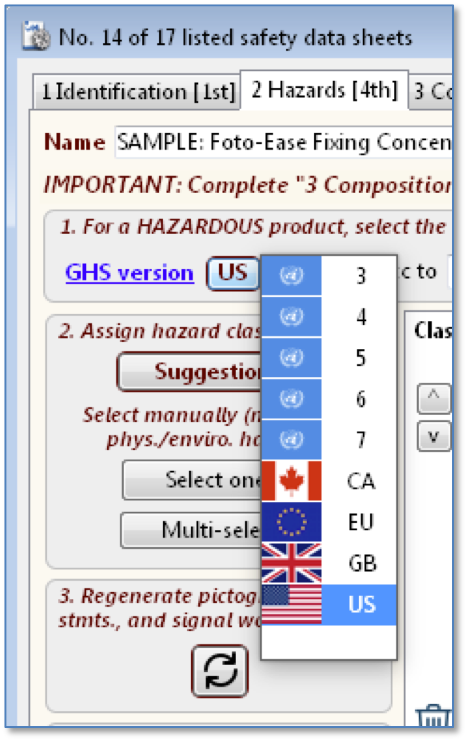
· New GHS classification/H-statement/P-statement matrixes for GHS 7, GB/Brexit.
· Revised GHS classification matrix for EU/EEA.
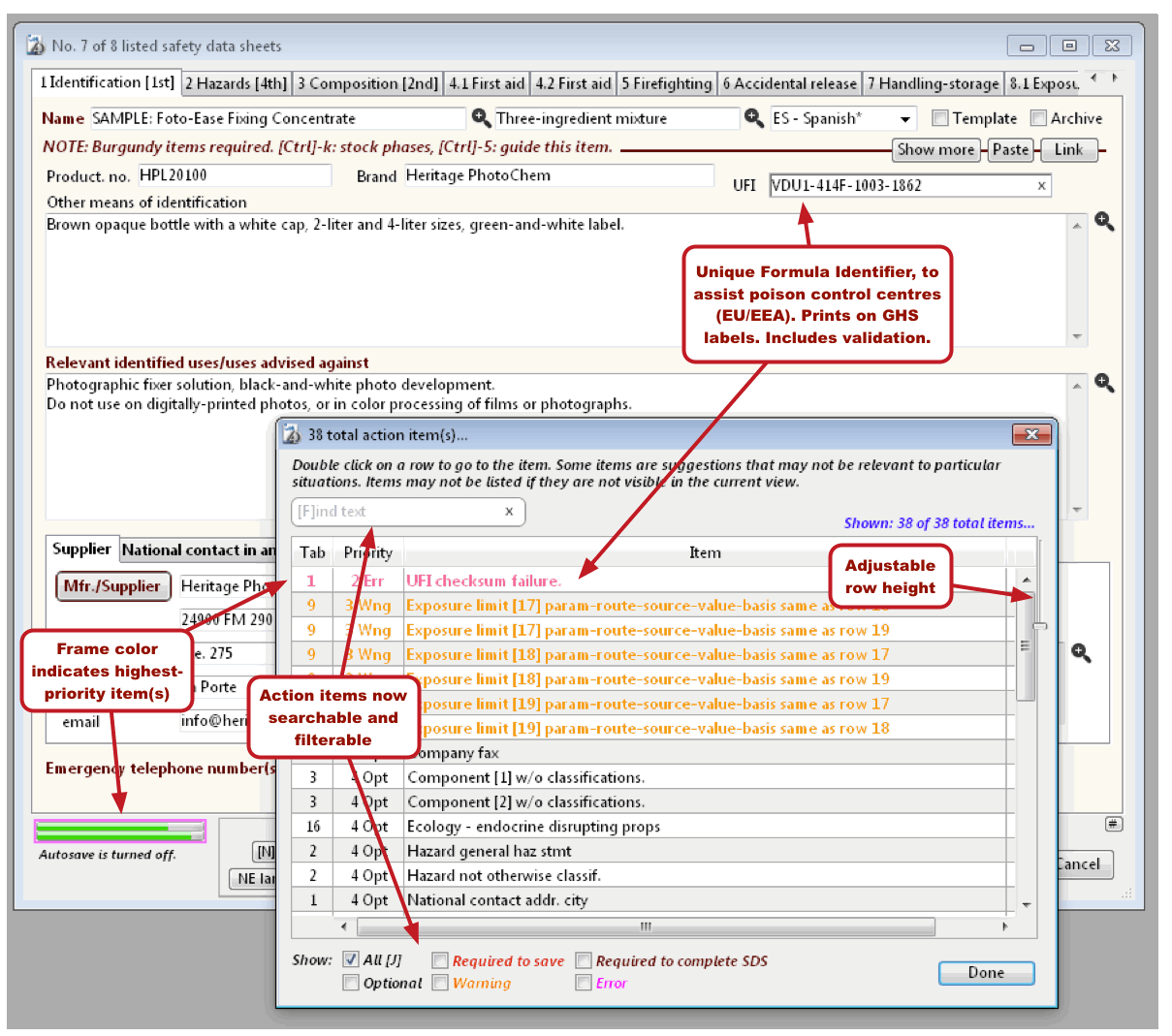
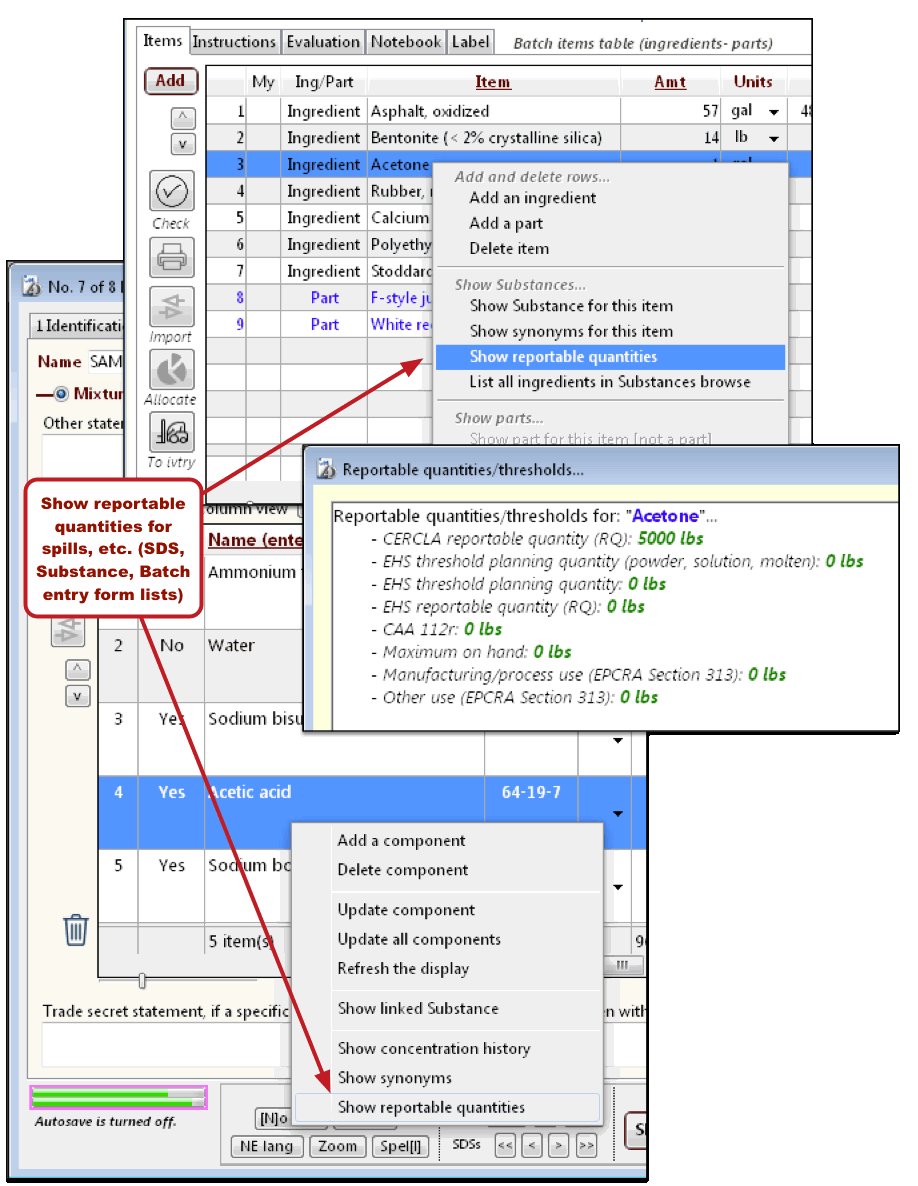
· Enhanced action items list (SDS, Substances, Batches entry forms).
· Unique Formula Identifier (UFI) with verification testing (EU provision to assist poison centres. SDS and Substances, generated GHS labels).
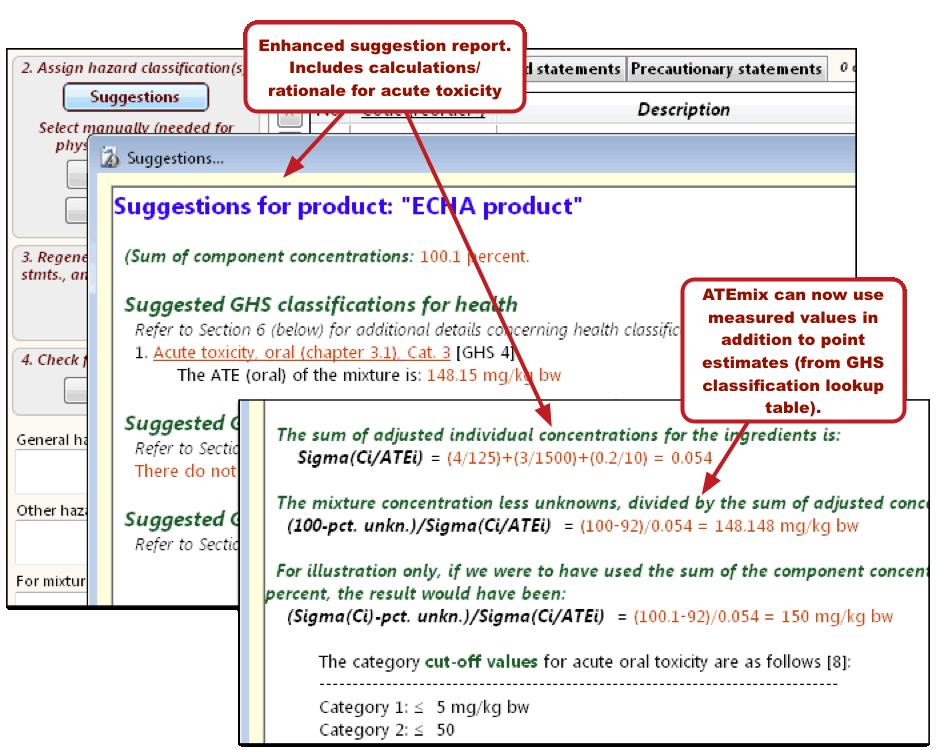
Suggestion report updates (SDS "2 Hazards" tab)
· More use of color for emphasis.
· Identification
of SCLs, M-factors, ATEs (only ATEs currently used in
calculations).
· ATEmix calculations now can use user-entered values for components.
· Illustration in report simplifies verification of ATEmix calculations.
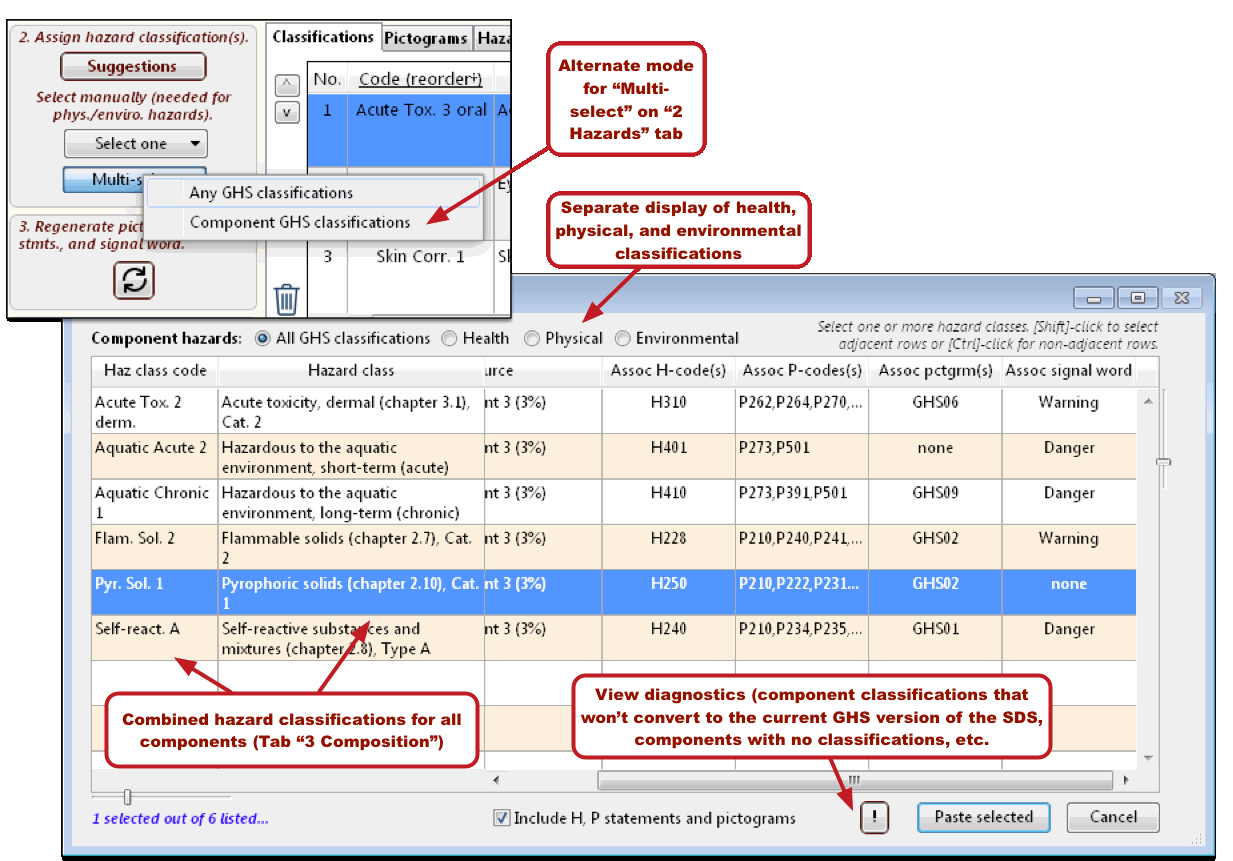
"Multi-select" button (SDS, "2 Hazards" tab)
· There are now two options for selecting GHS classifications.
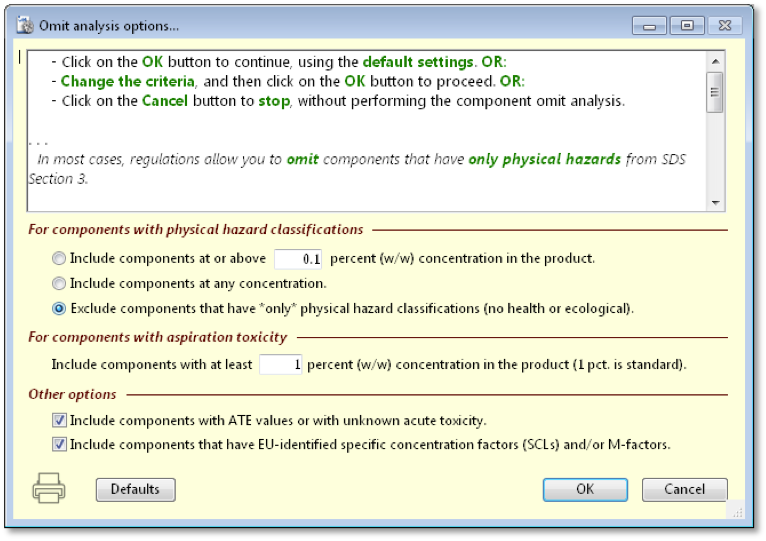
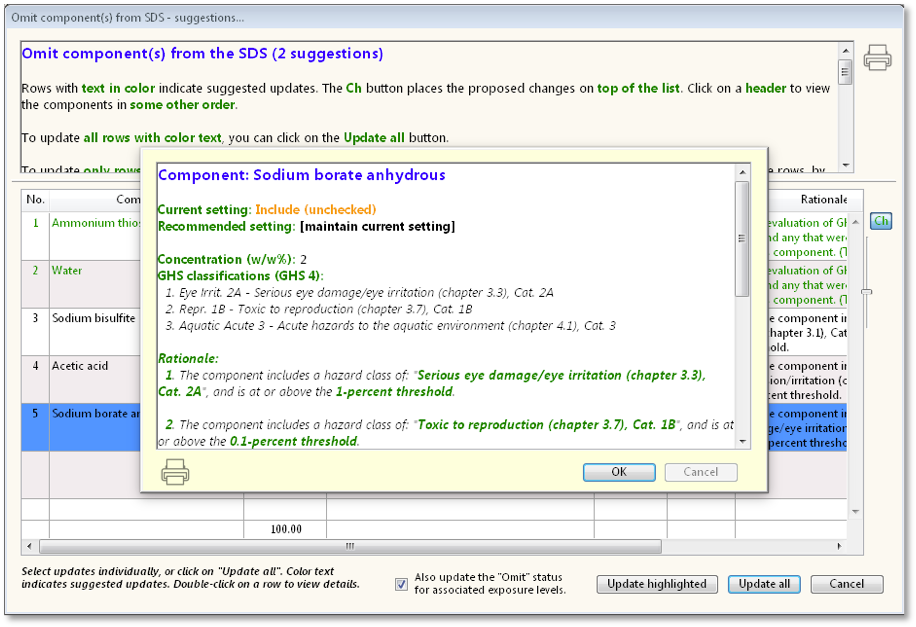
Improved “Omit row” analysis (SDS “3 Composition” tab)
· Improved flexibility with additional setup options.
· More thorough explanation of rationale.
· Flags non-GHS aspects like endocrine disruptors and SVHC listing.
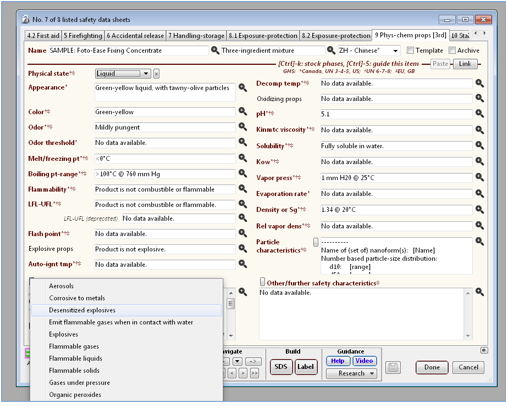
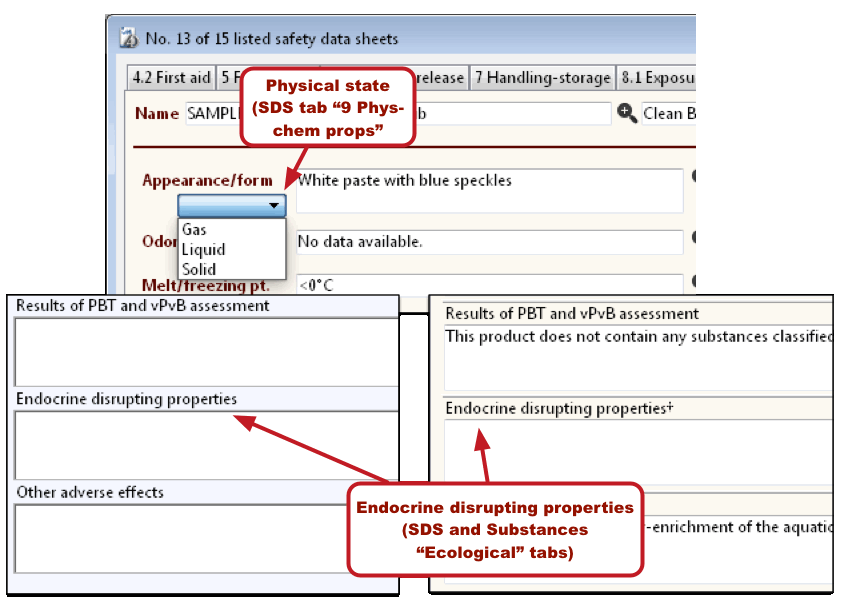
Physical – chemical data (SDS “Phys-chem props” tab)
· Additional fields for GHS 7 – EU requirements.
· Convenience pop-up menus insert topics for user to complete.
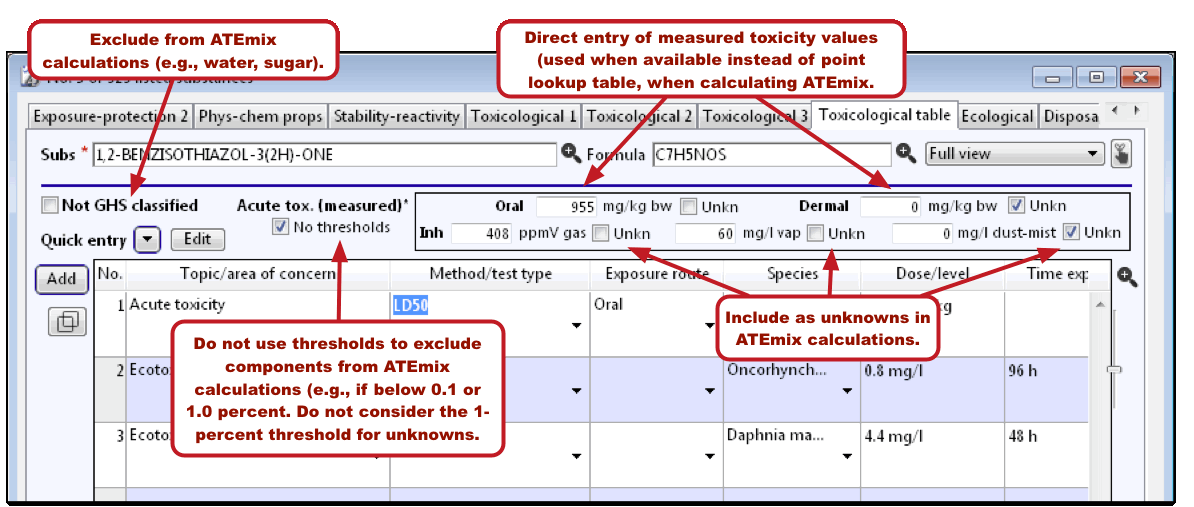
Acute toxicity entry (Substances, "Toxicological table" tab)
· Enter
“acute toxicity unknown” or ATE values above
the toxicological table.
· Oral, dermal, and inhalation routes
· Option to ignore 1-percent cut-off concentration for “relevance”.
· Program will now recognize “EU/OSHA” (Source column) in table as Union workplace exposure limit rows.
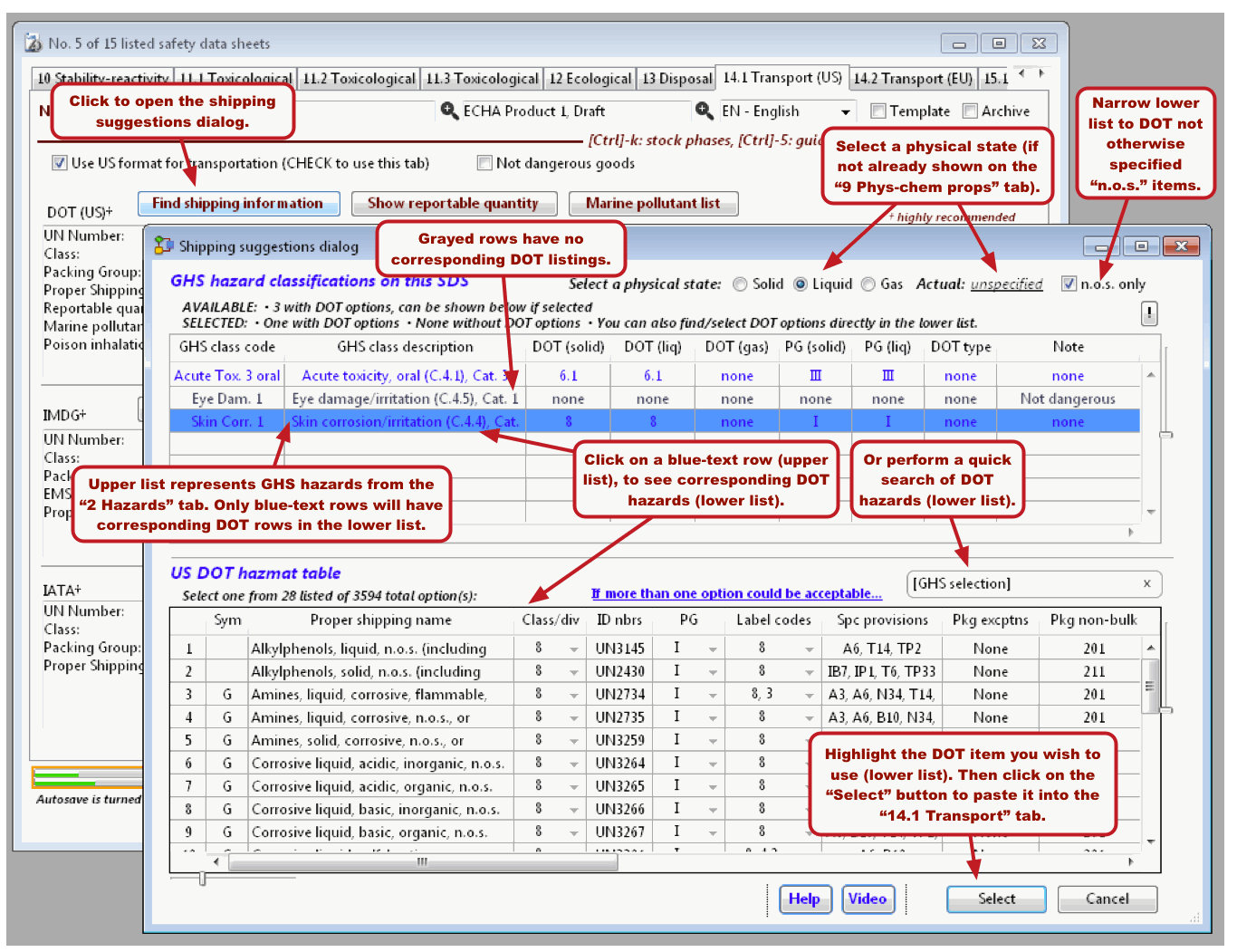
Shipping suggestions dialog (SDS "14.1 Transport (US)" and "14.2 Transport (EU)" tabs)
· Converts the product GHS hazards you selected (Tab “2 Hazards”) into suggested options for DOT shipping information.
· Paste your choice back into the transportation tab.
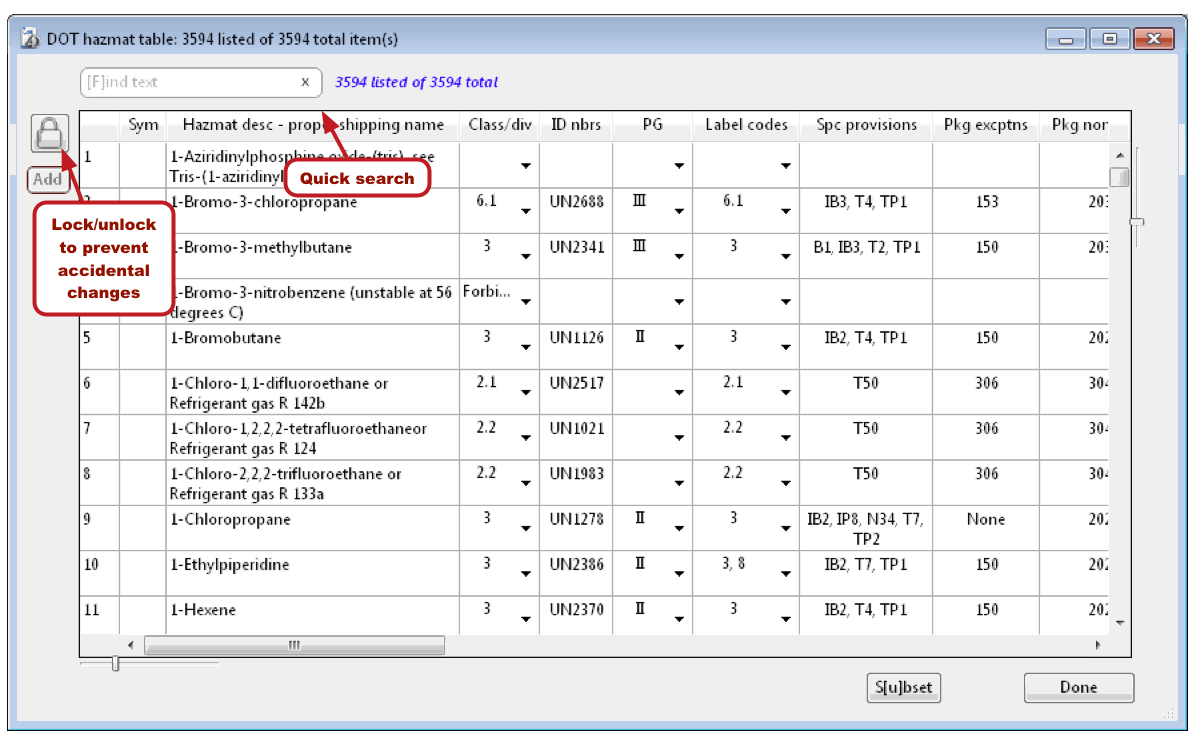
DOT hazmat table
· Accessible directly from the File menu.
· Offer to import data on startup, for upgraders.
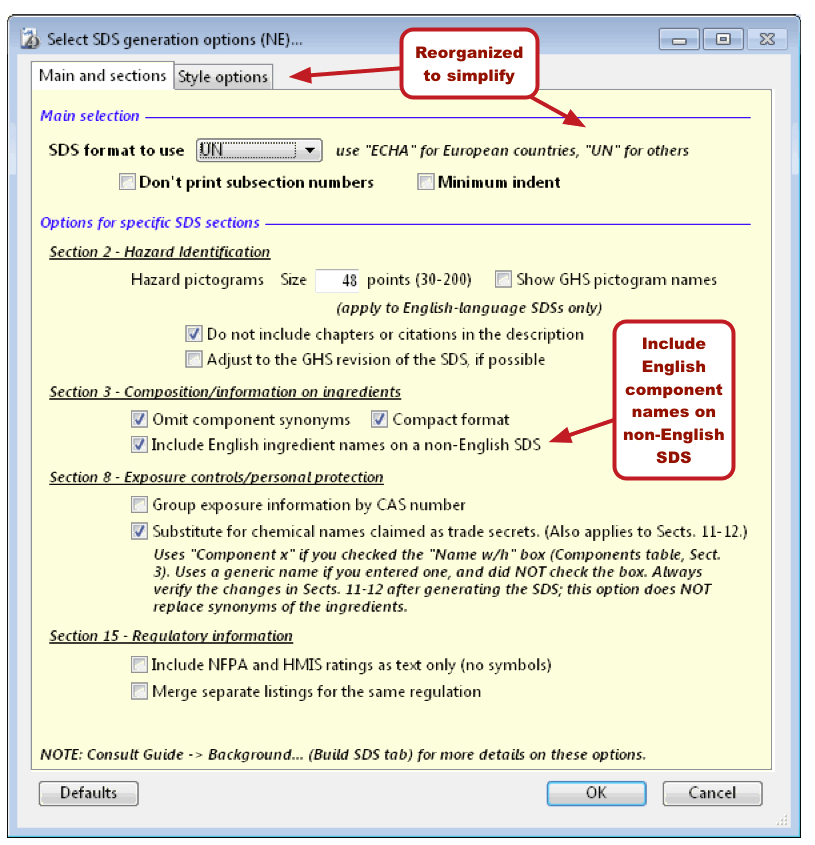
SDS generation options ("Build SDS" and "Build SDS non-English" tabs)
· Easier to use.
· Include English component names on a non-English SDS (required for China).
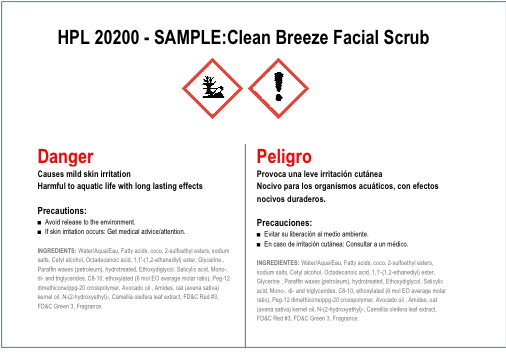
Bilingual GHS label (SDS, "GHS label" tab)
· Currently required in Canada.
· English on the left.
· The “Language” menu option sets the right column.
FDA labels (SDS, “FDA label” tab)
· Optional license required for full capabilities.
· Build package/container labels quickly.
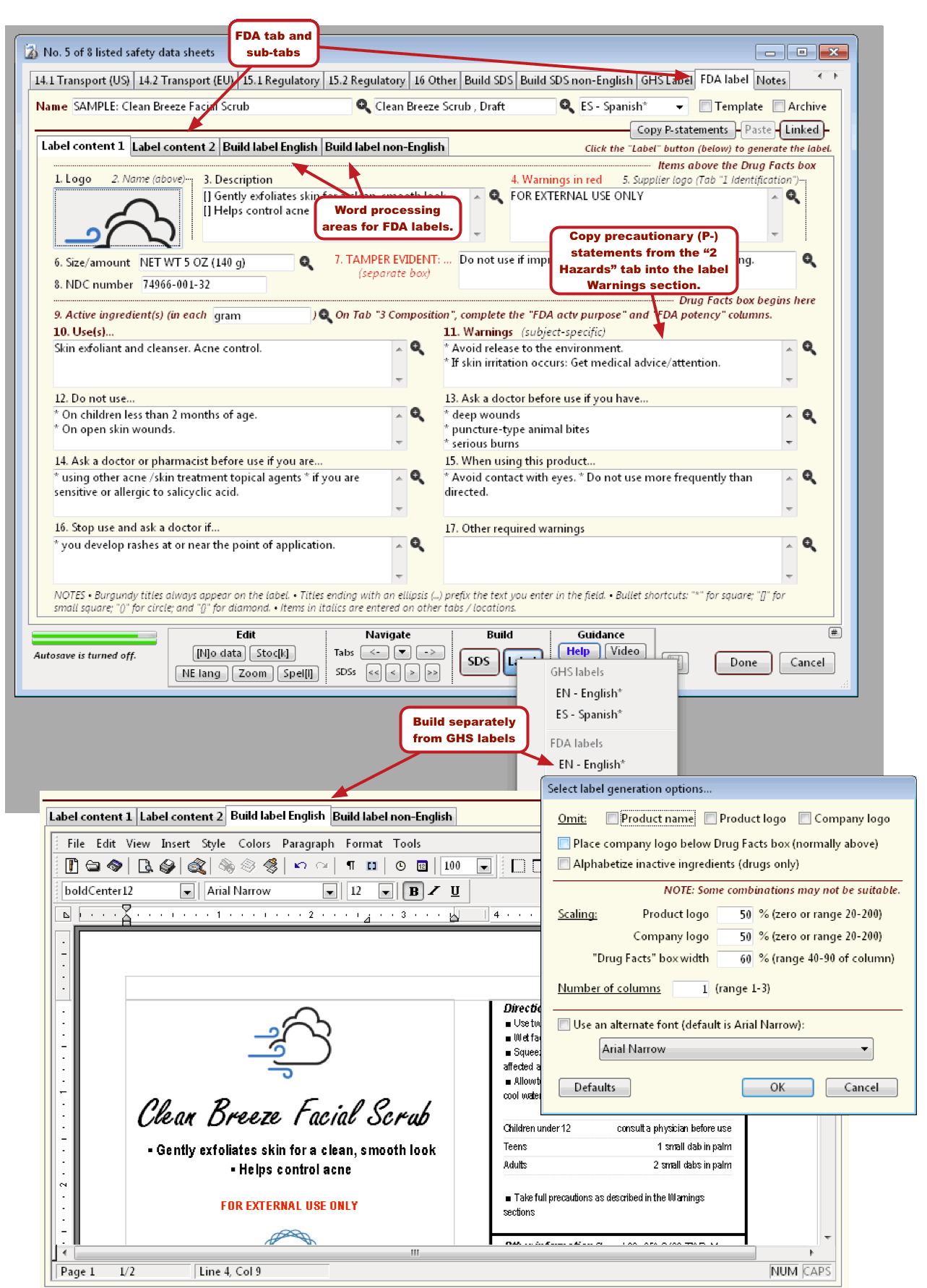
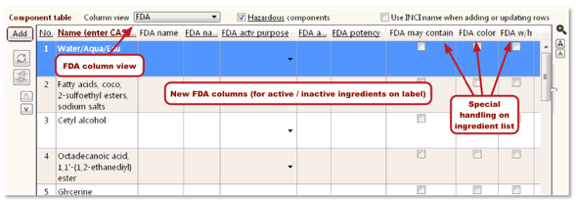
FDA integration columns (SDS, "3 Composition" tab)
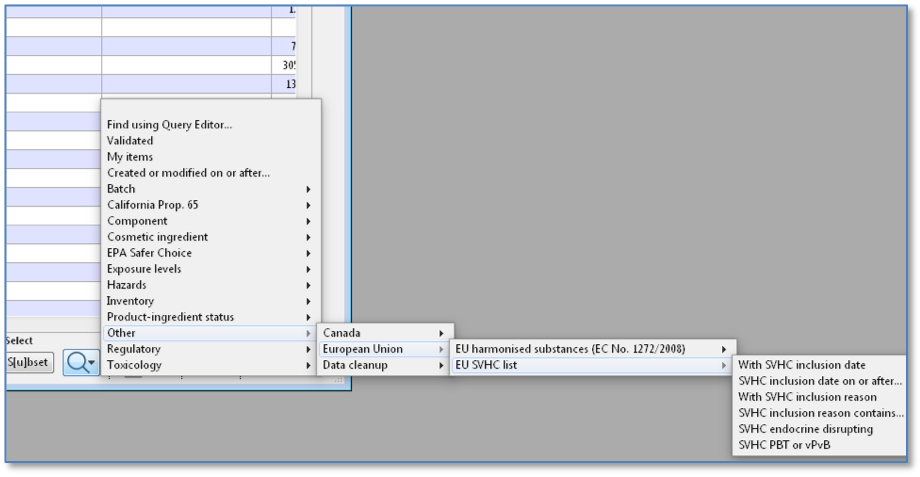
Browse lists
· [F]ind menu for Substances is now hierarchical (branched).
· More powerful searching at your fingertips.
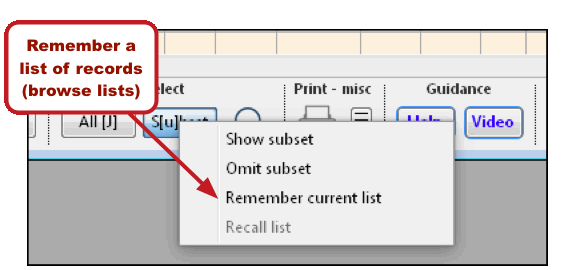
· Remember and later recall a list of items, for each browse list.
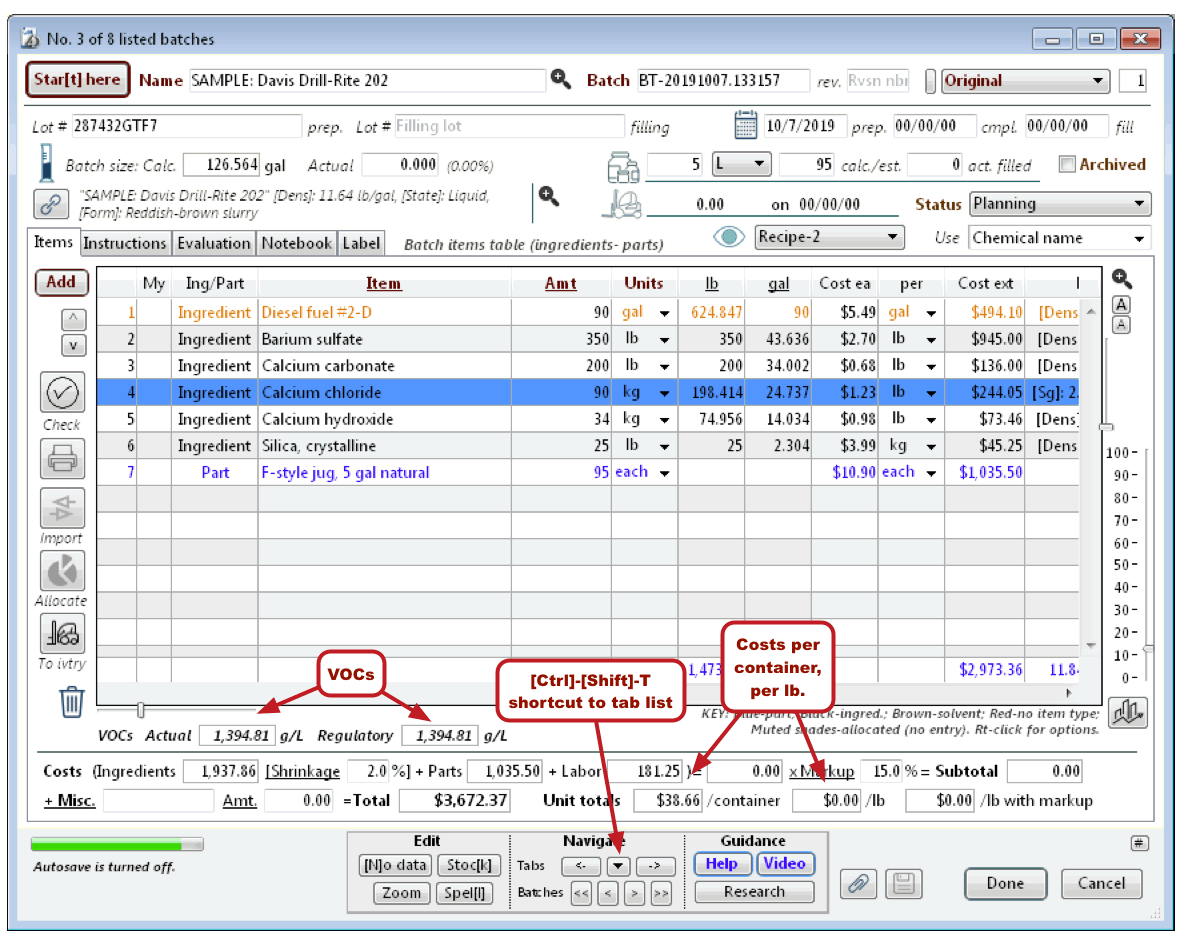
VOCs, summary data (Batches, “Items” tab)
· View more unit cost information.
· View actual and regulatory VOCs.
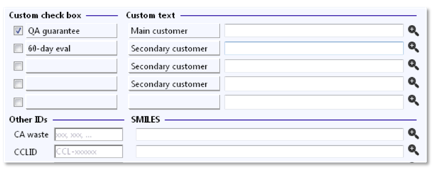
Custom/user fields with user-selectable labels (Substances, "Notes/other" tab)
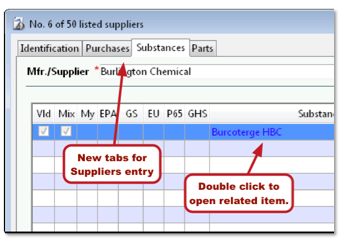
Other fields and features
· Show reportable quantities (SDS "3 Composition" tab, Batches "Items" tab, Substance "Composition" tab).
[Rev. 3.22.2021]