What's new in SDScribe™ 2022
(Some features also appeared previous versions of SDScribe™)
GHS updates
· New GHS classification/H-statement/P-statement matrix for US/OSHA HCS 2021 regulations (proposed).
o The program will remind you that the HCS 2021 standard is proposed rather than final.
· New GHS classification/H-statement/P-statement matrixes for GHS 7, GHS 8, and GB/Brexit.
· Revised GHS classification matrix for EU/EEA, to accommodate regulatory changes.
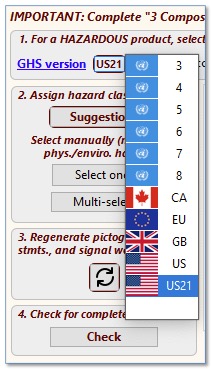
Selecting the GHS version (Tab “2 Hazards”).
SDS data entry
· New “split view” for displaying English and non-English fields simultaneously. Split an individual field by selecting “Show both” from the adjacent zoom button, or select “Both” from the Display mode button, in the Edit/display controls at the bottom of the form, to apply to all eligible fields.
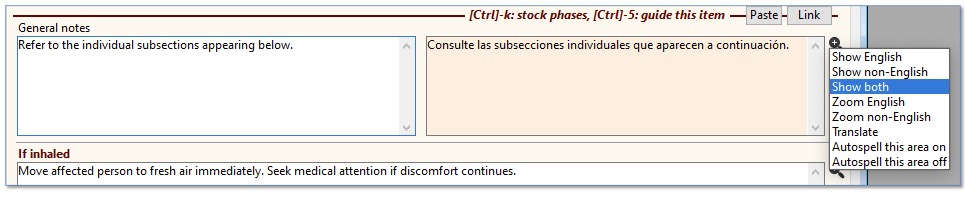
Selecting “Show both” from the zoom button, for a particular field.
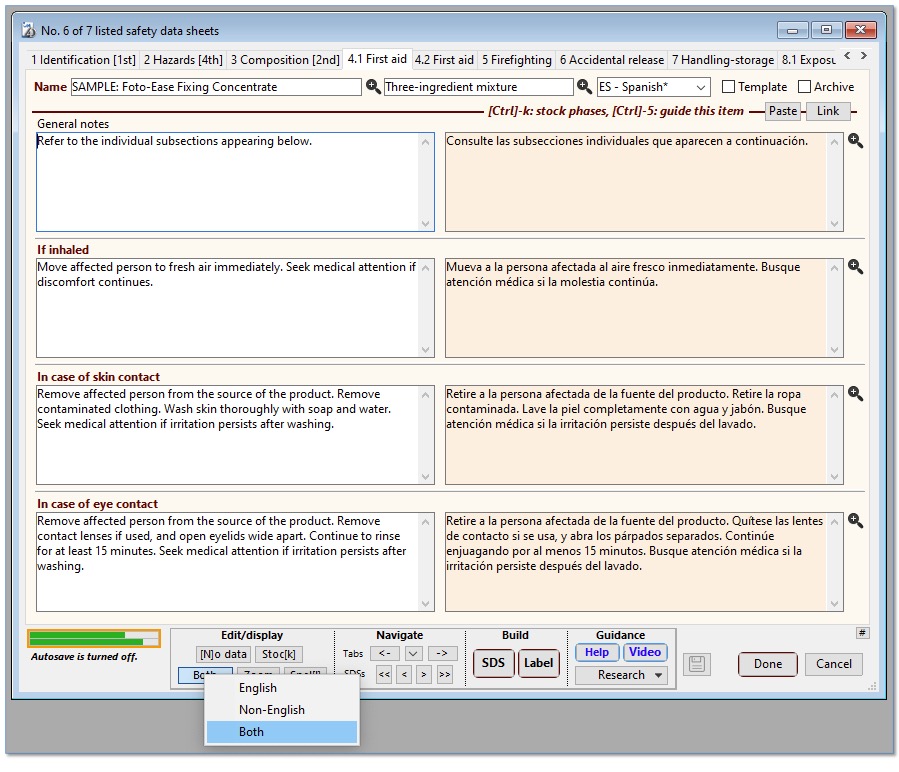
Selecting “Both” from the Display mode button (Edit/display controls), to
change the setting for most multi-language fields.
· Unique Formula Identifier (UFI) with validation testing (EU provision to assist poison centres in responding to an emergency).
· Enhanced action items dialog (SDS, Substances, Batches entry forms), including:
o A quick search box to narrow the list to particular items.
o Check boxes to filter the list by priority level.
o Adjustable row height.
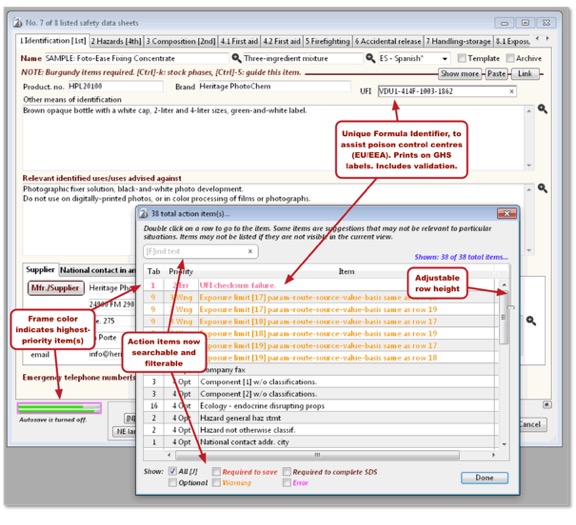
Action items dialog (display by clicking on the green progress bars, lower left
on SDS entry form).
· The “[N]o data” button can now insert a custom phrase into selected fields, if the user [Alt]-clicks on the button and selects an option from the pop-up menu.
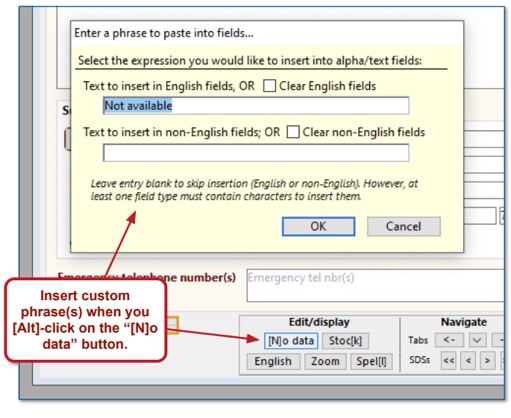
[Alt]-click on the “[N]o data” button to have the option of inserting custom
text into one or more fields.
· The component/template Paste button now displays a dialog instead of a drop-down menu, for improved ease of use.
o Use a quick search box to narrow the list by name.
o Use check boxes to filter the list for templates or components.
o You can still [Alt]-click on the Paste button to display the previous drop-down menu.
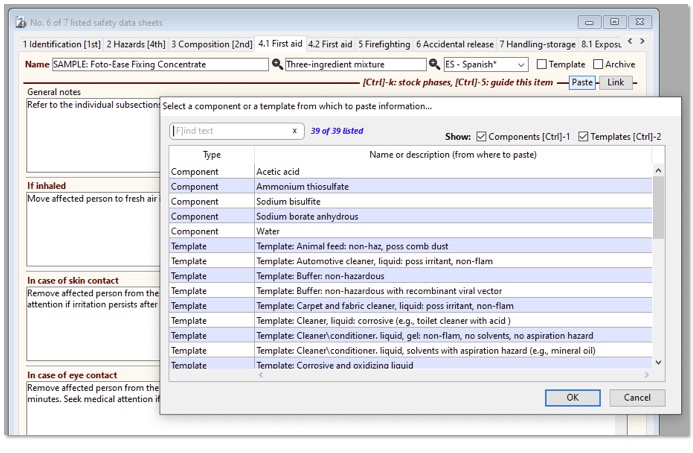
Paste button dialog, for including field content from a component or from a
template.
Suggestion report (SDS "2 Hazards" tab)
· More use of color for emphasis.
· Identification
of SCLs, M-factors, and ATEs.
· ATEmix calculations can now use user-entered values for the individual components (Substances section, "Toxicological table" tab, discussed below).
· The report displays the ATEmix calculations, simplifying verification.
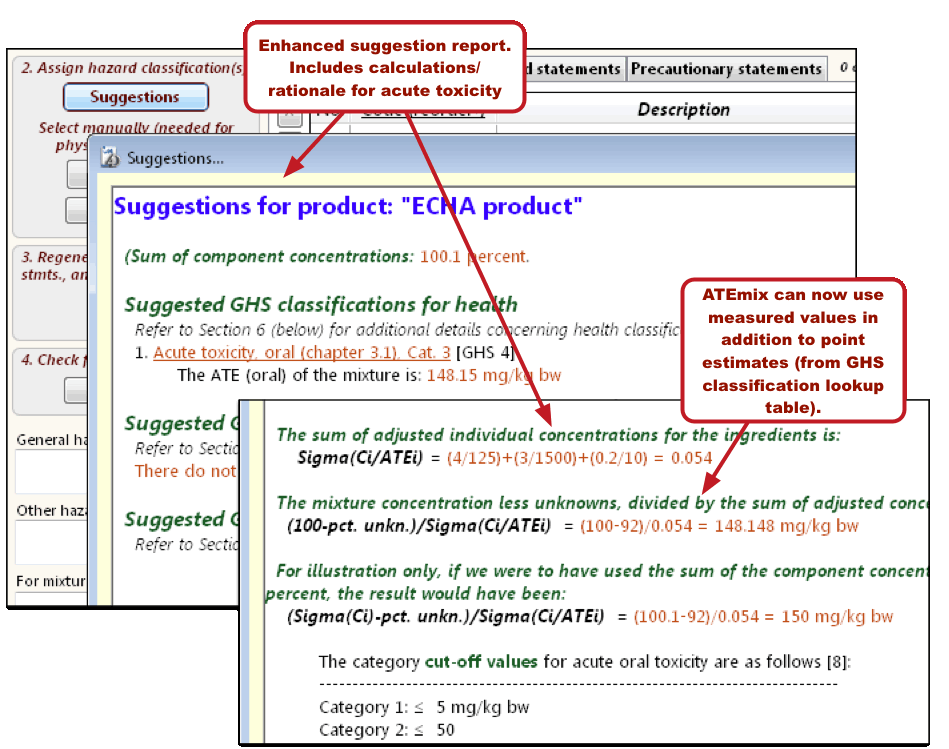
Suggestion report, showing product ATE calculation methodology.
"Multi-select" button (SDS "2 Hazards" tab)
· There are now two modes for adding GHS multiple classifications to the hazard table:
o Select from a list of all hazard classifications available for the selected GHS revision; or
o Select from a list of hazard classifications that apply to the ingredients listed in the Component table (SDS “3 Composition” tab). This list can be further narrowed into health, physical, or environmental-type hazards.
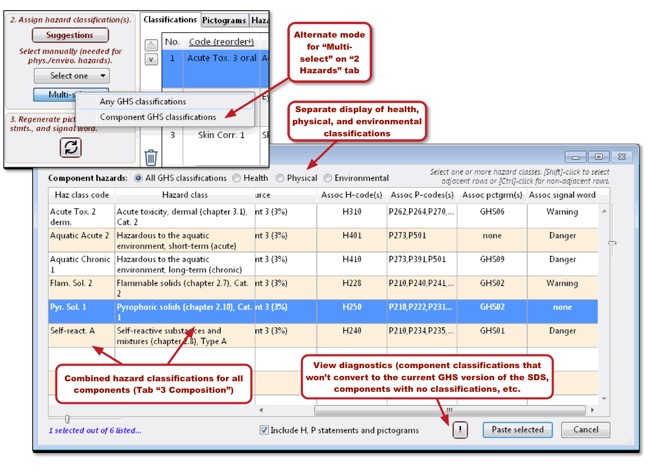
Selecting product hazard classifications from the combined hazard classes of
the components (as listed the Component table, SDS “3 Composition” tab).
“Omit row” analysis (SDS “3 Composition” tab)
· Improved flexibility with additional setup options.
· Includes a more thorough explanation of rationale.
· Identifies non-GHS characteristics (like endocrine disruptors and SVHC listing) that may influence the decision to include a component on the SDS.
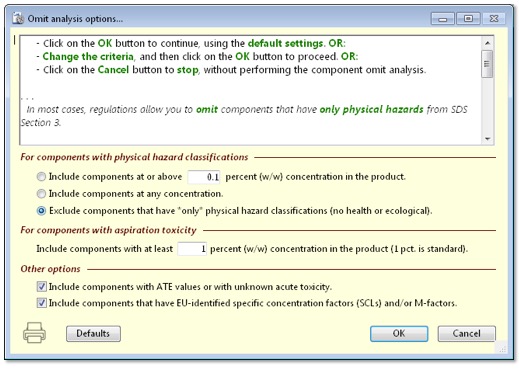
Omit row options (for removing components from the SDS).
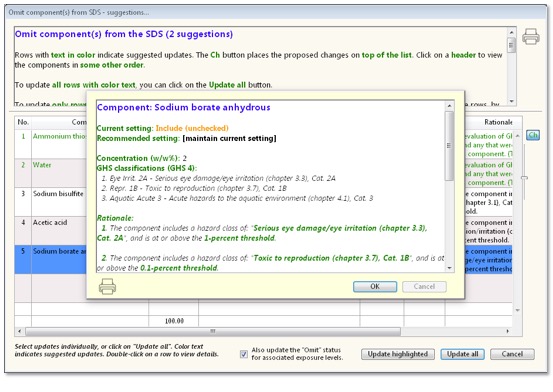
Omit row suggestions dialog.
Physical – chemical data (SDS “9 Phys-chem props” tab)
· Additional fields for GHS 7 and EU/EEA requirements.
· Pop-up menus adjacent to some fields insert topic outlines for the user to complete.
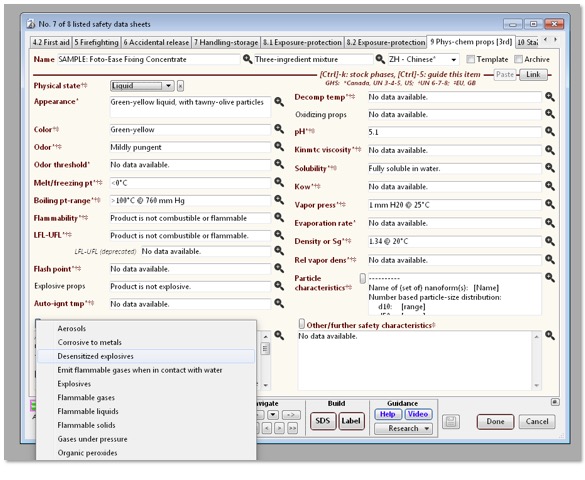
Pop-up menu for the “Supplementary info on phys. Hazard classes” field, lower
left on entry form.
Shipping suggestions (SDS "14.1 Transport (US)" and "14.2 Transport (EU)" tabs)
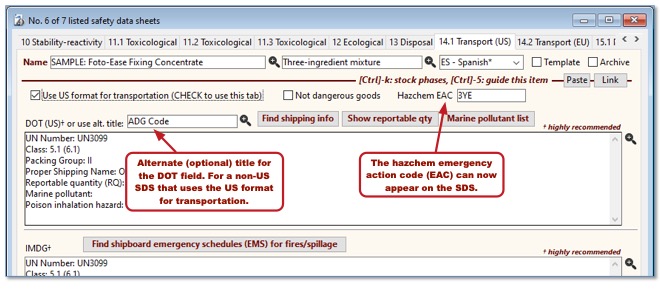
· Converts the product GHS hazards you selected (Tab “2 Hazards”) into suggested options for DOT shipping information.
· Paste the options you select back into the “Transport” tabs of the SDS.
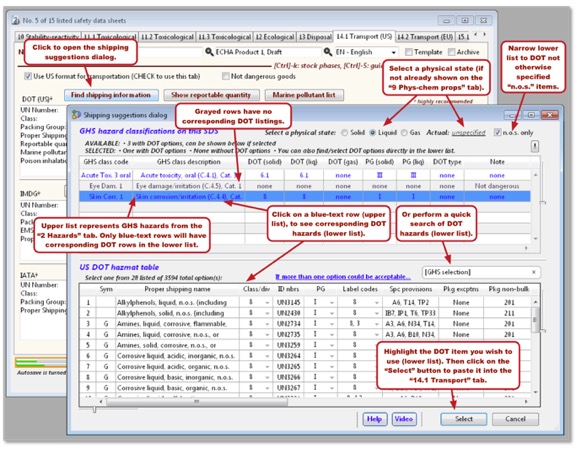
Shipping suggestions dialog.
SDS transportation changes (other)
SDS generation options (“Build SDS” and “Build SDS non-English” tabs)
· Reorganized the generations options dialog for easier use.
· Added an option to include English component names on a non-English SDS (required for China-PRC).
· Added simplified, more compact options for H-statements and P-statements.
· Added an option to place the company name on a separate line from the logo (applies to the top of the first SDS page, for the “Standard” header style).

More compact options for displaying Hazard (H-) and Precautionary (P-) statements in the SDS.
Bilingual GHS label (SDS "GHS label" tab)
· Currently required in Canada.
· English on the left.
· The “Language” menu option sets the language for the right column.
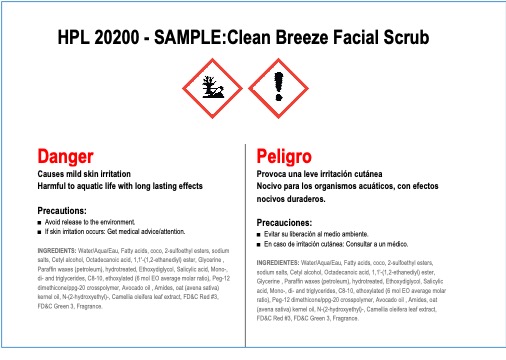
Bilingual GHS label.
FDA labels (SDS “FDA label” tab)
· Optional license required for full capabilities.
· Build package/container labels quickly.
· Some content for the FDA label appears in the Component table (SDS Tab “3 Composition”; select “FDA” as the column view for convenience).
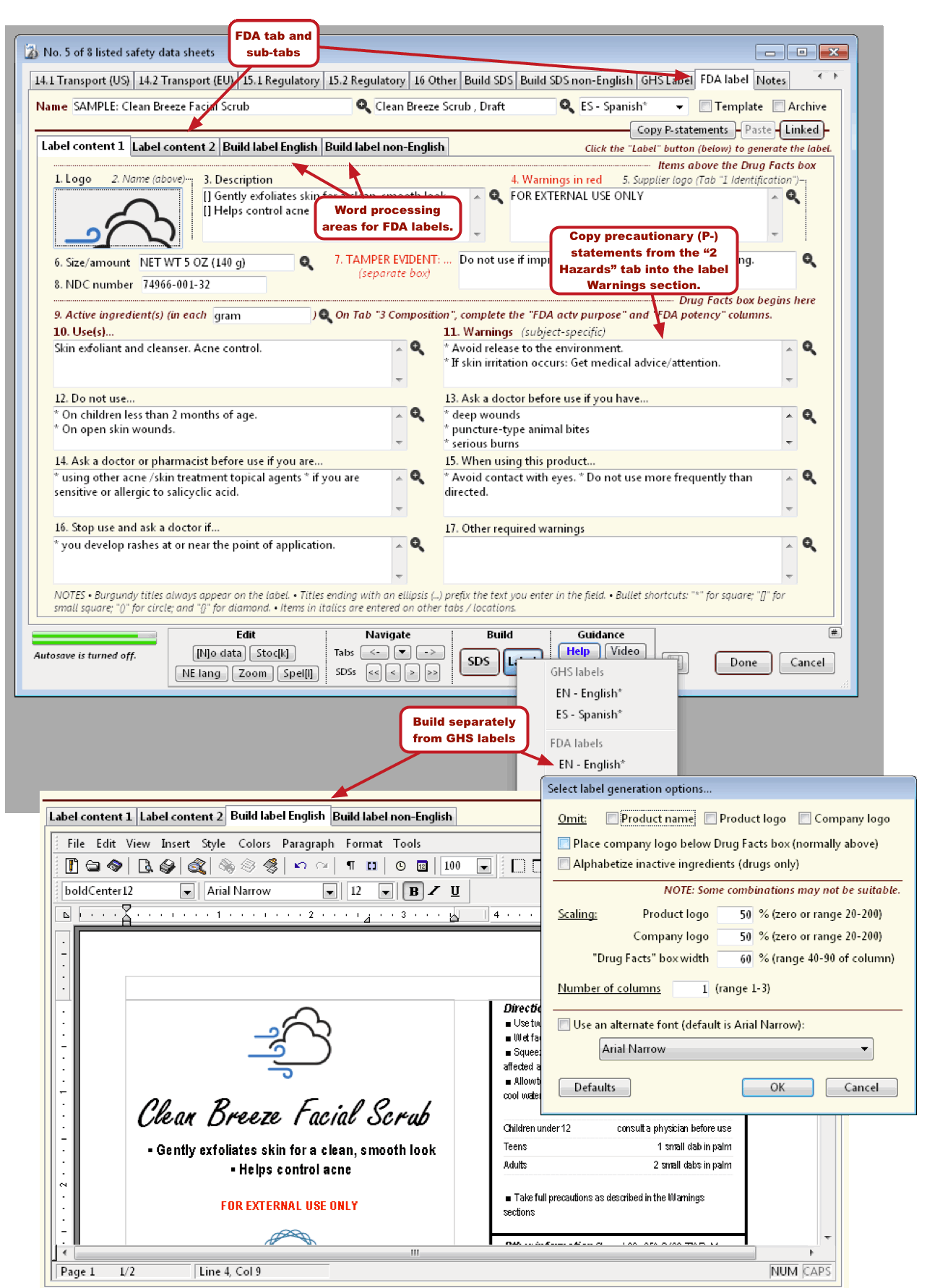
Entering and building the FDA label.
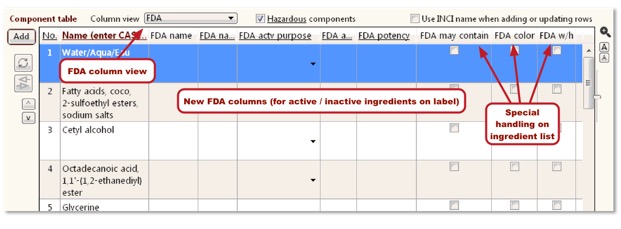
Component table ( SDS Tab “2 Composition”), showing
columns relevant to FDA labels.
Substances (general)
· Added the option to archive a Substance record (new check box field). Archived records appear in light gray in the browse list.
· Added a Card field, representing the index number for the chemical on the ECHA’s Substance Infocard web site.
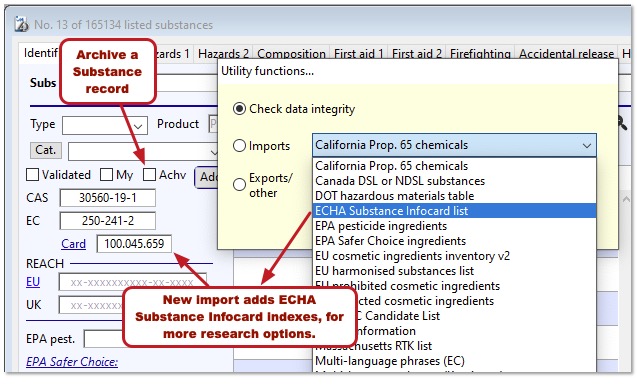
Archive check box and new Card field, “Identification” tab of the Substance
data entry form.
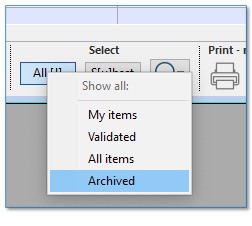
Substance browse list, “All [J]” button menu.
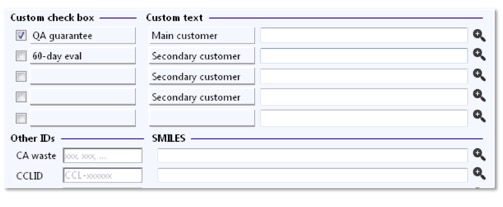
· Custom/user fields with user-selectable labels ("Notes/other" tab)
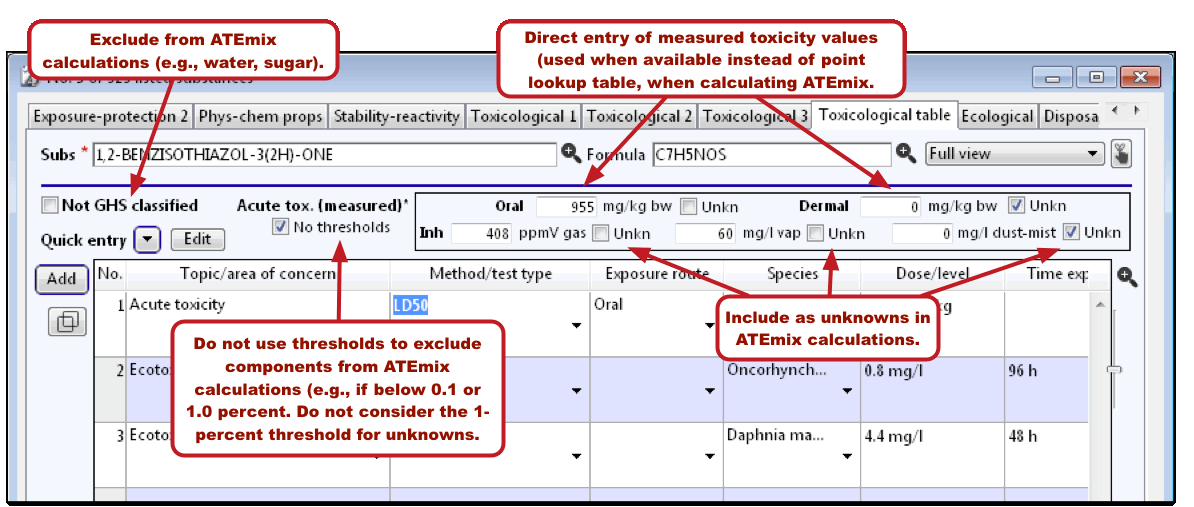
Substances "Toxicological table" tab
· Enter
“acute toxicity unknown” or numeric ATE values above
the toxicological table.
· Oral, dermal, and inhalation routes
· Option to ignore 1-percent cut-off concentration for “relevance”.
· Program will now recognize “EU/OSHA” (Source column) in table as Union workplace exposure limit rows.
DOT hazmat table
· Accessible directly from the File menu.
· The program offers to import DOT on startup, for program users who are upgrading from a previous SDScribe™ version.
o The import is also available from File (menu) -> “Imports-exports and utilities” -> “DOT hazardous materials table”.
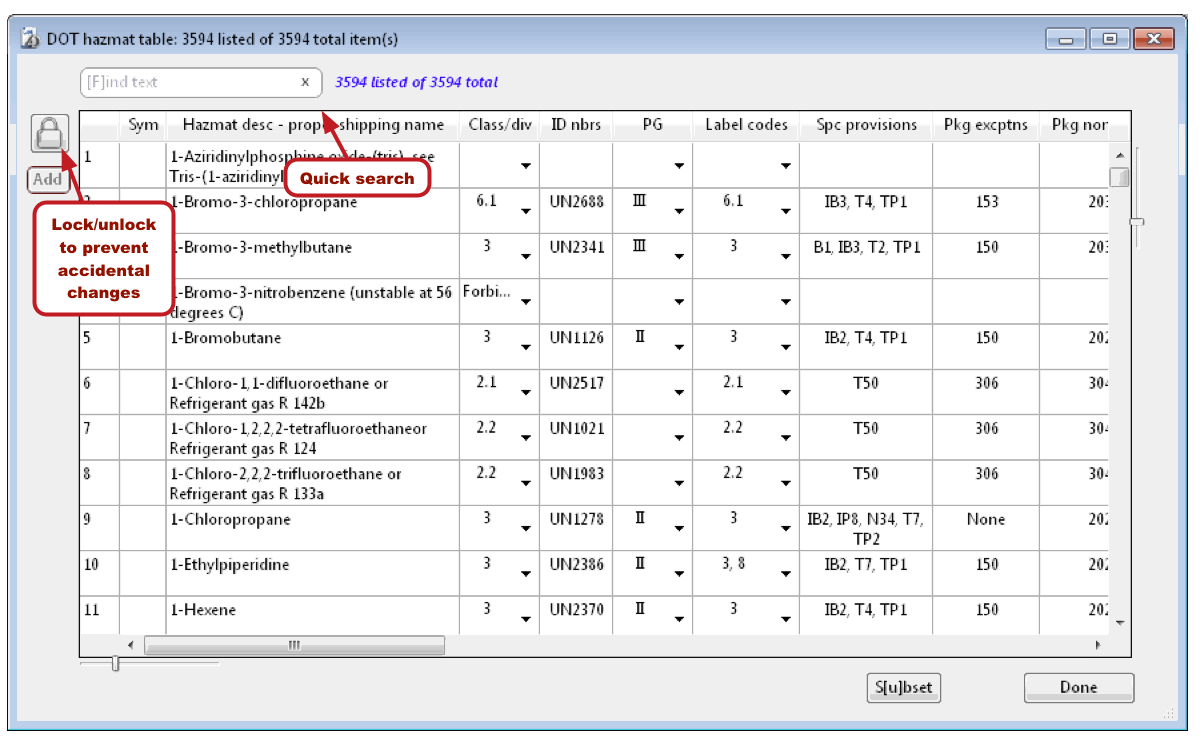
DOT hazmat table browse dialog.
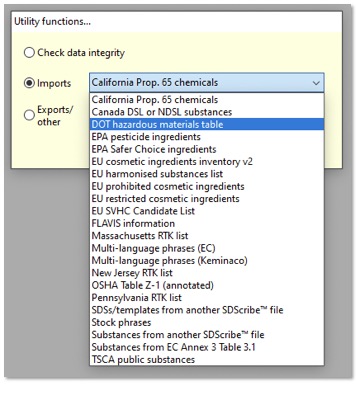
Importing the DOT hazardous materials table manually (File menu).
Browse lists (general)
· [F]ind menu for Substances is now hierarchical (branched).
· More powerful searching at your fingertips.
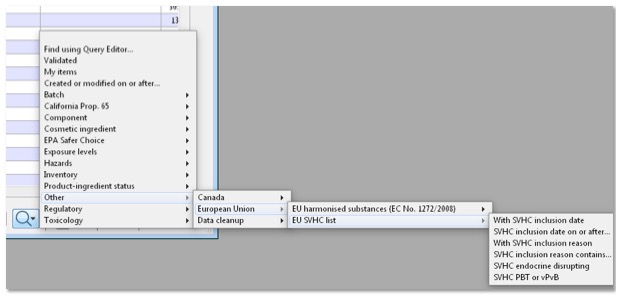
Substance browse list, “[F]ind” button menu.
· Set archived status by right-clicking on one or more rows, in the
Substances, Batches, and Safety Data Sheets browse lists.
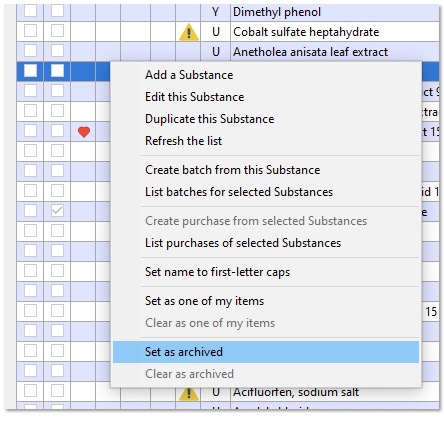
Setting a Substance record to archived status, Substances
browse list.
· Remember and later recall a list of items for each browse list, with the S[u]bset button.
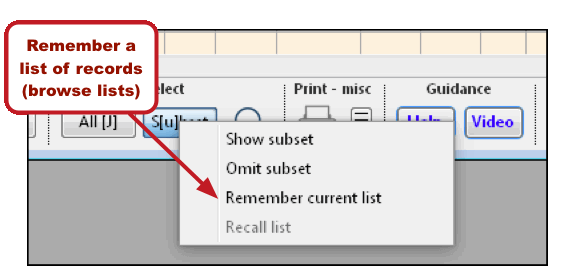
“S[u]bset menu, SDS browse list.
Batches: VOCs, summary data (“Items” tab)
· View more unit cost information.
· View actual and regulatory VOCs.
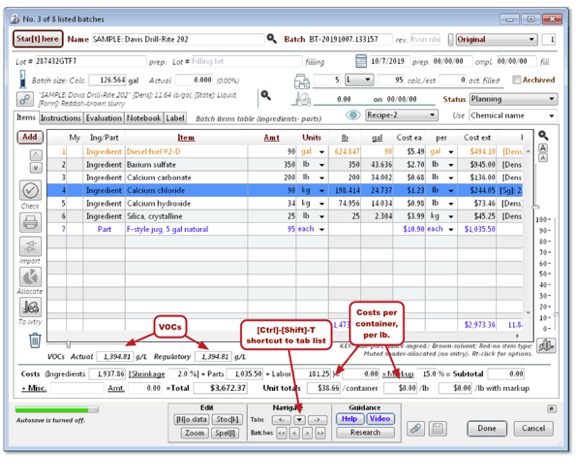
Batches entry form.
Other fields and features
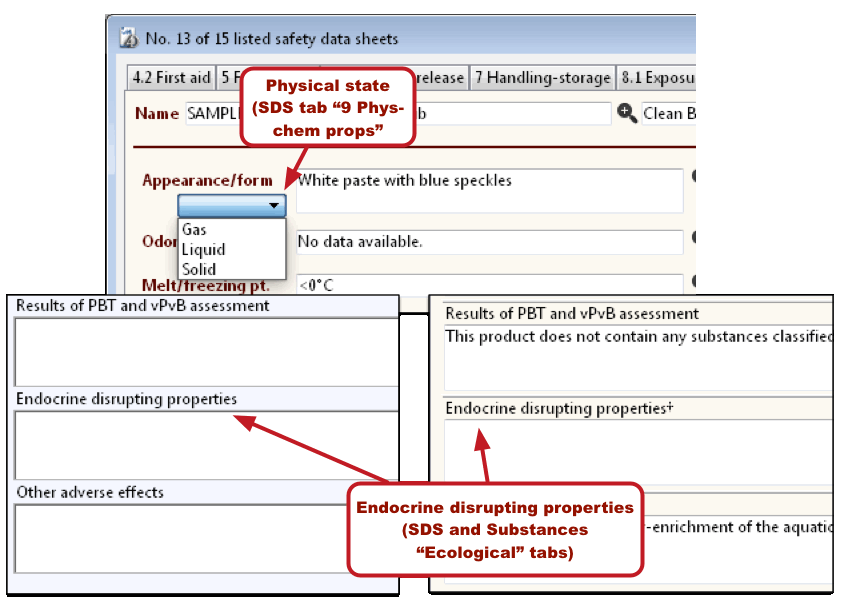
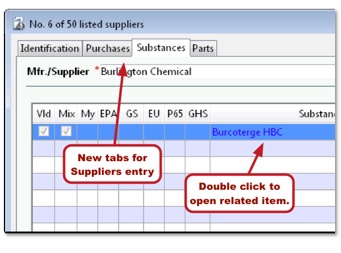
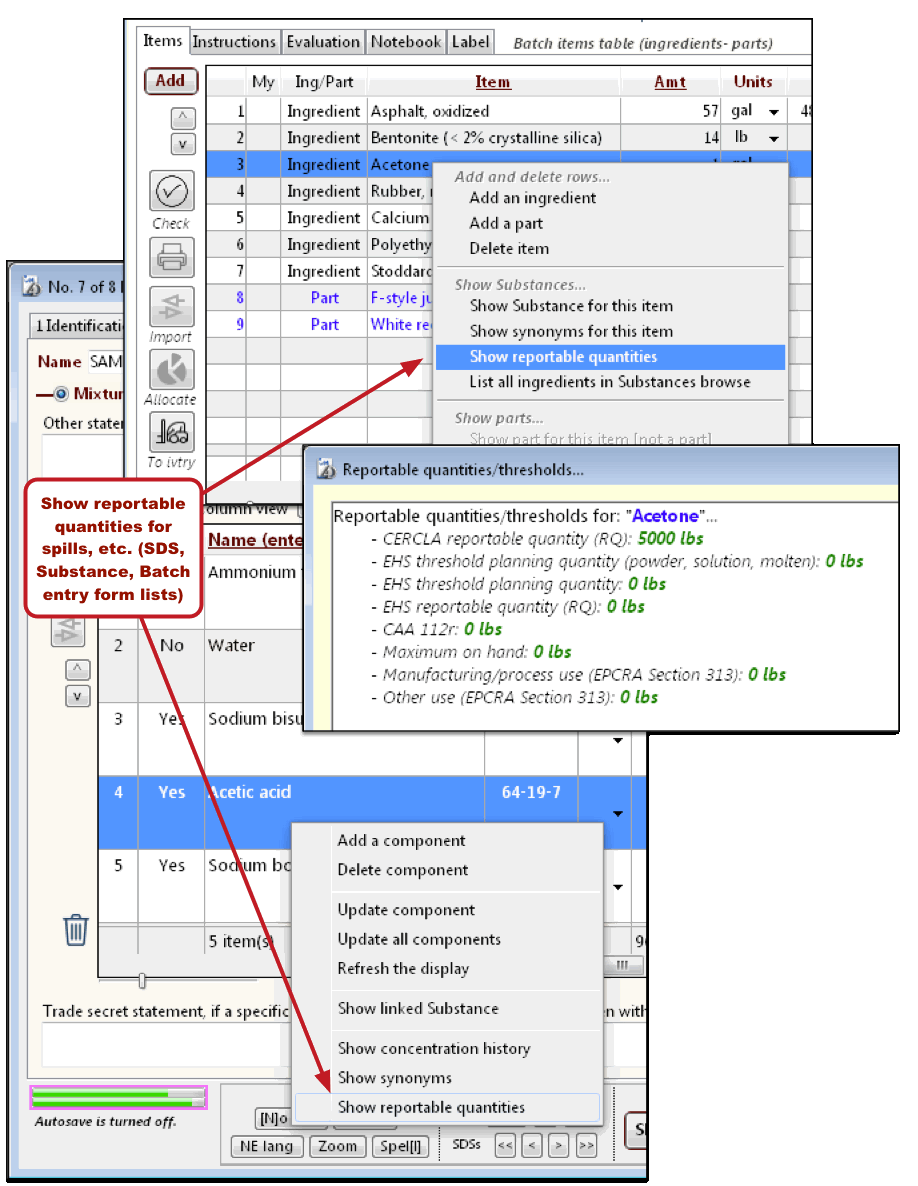
· Show reportable quantities (SDS "3 Composition" tab, Batches "Items" tab, Substance "Composition" tab).
· The Research menu (on some entry forms) now includes a branch organized by topic.
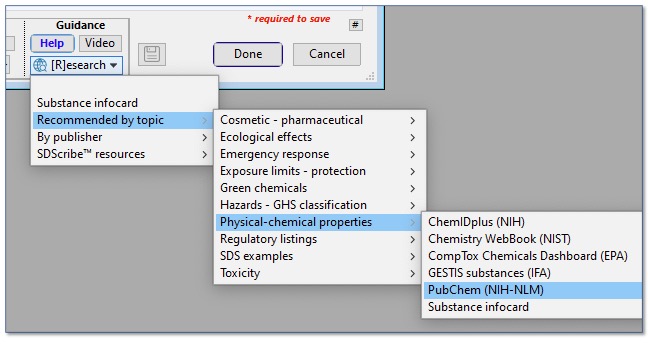
“Recommended by topic” section of the Research pop-up menu.
· The program includes smart search links on some entry form tabs. These links appear in a pop-up menu under a globe-and-magnifying-glass icon. They are selected items from the Research menu that are particularly relevant for that tab.
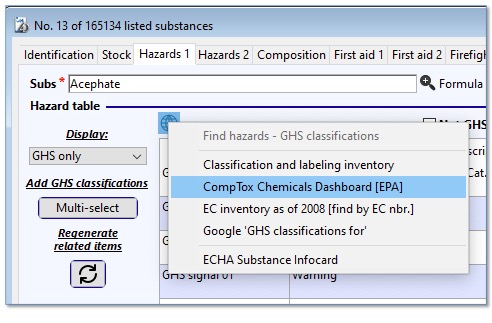
Smart search links on the “Hazards 1” tab, Substance entry form, displaying
items that are relevant to this particular tab.
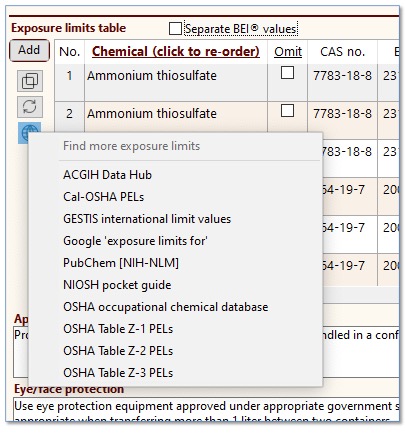
Smart search links on tab “8.1 Exposure-protection”, SDS entry form.
[Rev. 6.14.2022]