What's new in SDScribe™ 2024
June 2024
· New version licensing for 2024.
Updated Substance data
· California Prop. 65 chemicals: new import file available (rev. 12.29.2023).
· Water hazard class import (WGK – “Rigoletto” data, rev. 4.19.2024). Populates new fields on the “Ecological” tab of the Substance record.
· Starter data file (for new users) updated.
Searches/queries
· Added an “Ecological hazards” section (Substances browse list).

· Added an ability to detect “plausible” CAS numbers (10 numerals or less) entered without hyphen syntax into the Quick search box of the Substances browse list. Click on the Other search button (shortcut: [Esc]) to cancel, and continue instead with the default, name-type search.

Hazard classification
· Updated hazard classifications and related items in the US21 GHS version (US-OSHA HCS) for the final rule, published on May 20, 2024.

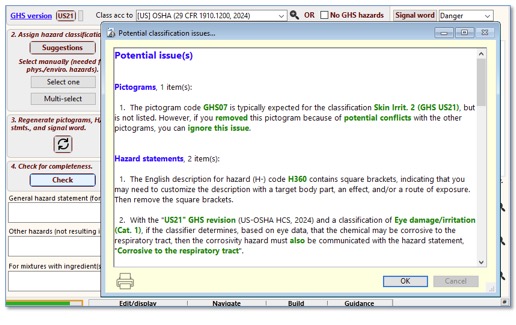
· Added diagnostics to the Check button (SDS “2 Hazards” tab) related to the new US21 hazard statements concerning respiratory corrosion.
· Added a calculation for water hazard class (WGK) for Substance records, roughly based on the methodology in Appendix 1 of AwSV (the German water hazard ordinance). This feature is preliminary; you should independently verify the results.

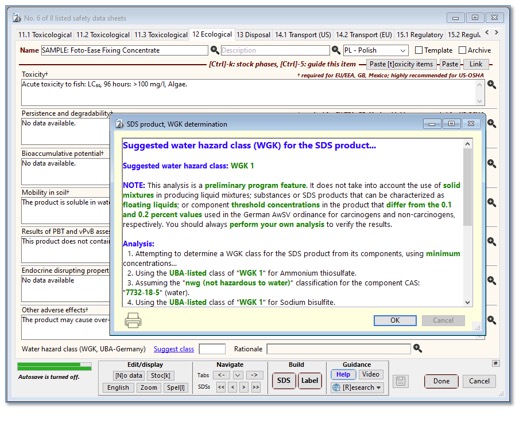
· Added a determination for water hazard class (WGK) for SDS products that are mixtures, roughly based on Appendix 1 of AwSV (the German water hazard ordinance). This feature is preliminary; you should independently verify the results.
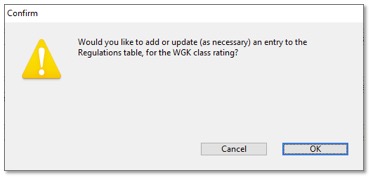
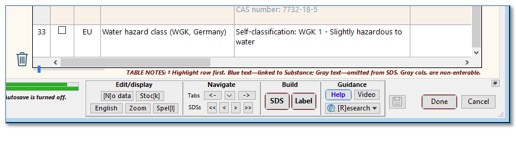
Results can be posted to the Regulations table, so that they appear in Section
15 of the generated SDS.
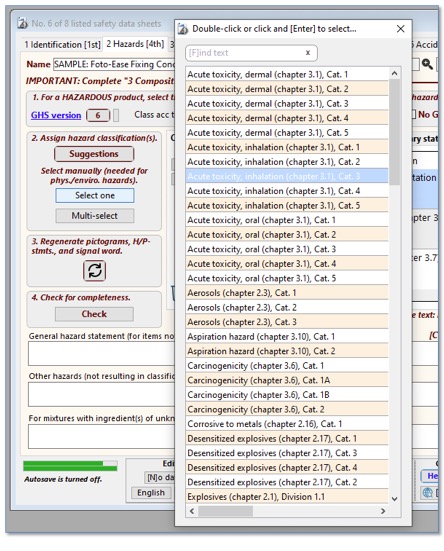
· The Select one button (SDS “2 Hazards” tab) displays options in a slightly different manner for longer item lists, to reduce display redraw issues.
Previous updates
April 2024
Updated Substance data
· Canadian Domestic Substances List (DSL): new import file available (rev. 3.4.2024).
· Canadian Non-Domestic Substances List (NDSL): new import file available (rev. 3.4.2024).
· US EPA PFAS Master List: new import file available (date collected 4.14.2024).
· EU Harmonised Substances: new import file available (ATP-20), and slight modifications to import method.
· EU Substances of Very High Concern (SVHC) Candidate list: new import file available (1.23.2024), and slight modifications to import method.
· Massachusetts Right To Know – Massachusetts Substance List (105 CMR 670): first-time import (9.9.2016), was not previously included in the program.
· Starter data file (for new users) updated.
Searches/queries
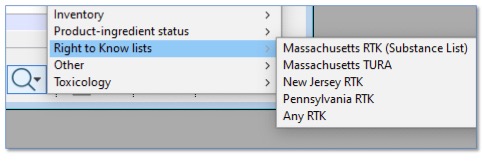
· (Substance browse list) — Additional Right To Know queries added to the menu.
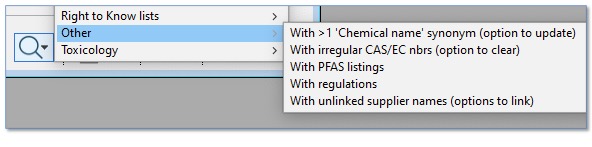
· (Substance browse list) — Additional find/clean-up options are available: for more than one “Chemical name”-type synonym, and for irregular CAS and EC numbers.
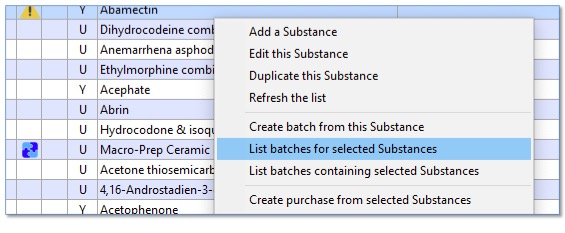
· (Substance browse list) — Option to list batches for selected Substances when right-clicking on row(s) (contextual menu item).
Other revisions
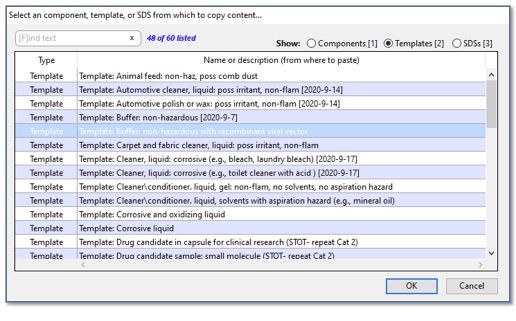
· (SDS entry form) — Updated the dialog for the Paste button, with separate selectors for components (linked Substance records), templates, and regular SDSs.
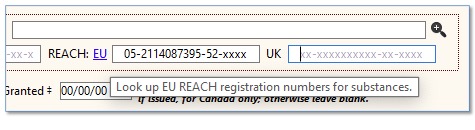
· (Substance and SDS entry) — EU and UK REACH numbers can now be entered with the last four digits masked.
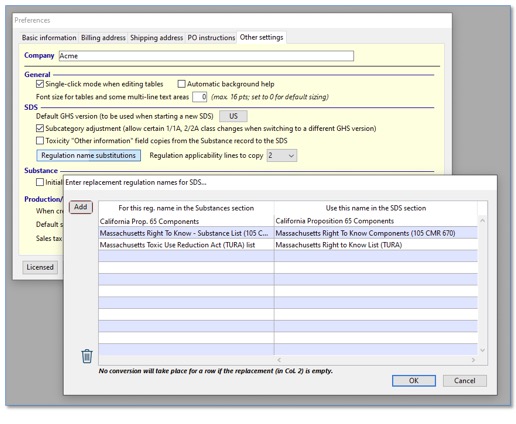
· Added two options for copying regulatory information from Substance records onto the SDS: a regulation name conversion dialog and an option to truncate the applicability text after a certain number of lines (carriage returns).
· Updated portions of the background help and the guide window contents to correspond with program updates.
November 2023
Updated Substance data
· Canadian Domestic Substances List (DSL): new import file (rev. 9.18.2023).
· Canadian Non-Domestic Substances List (NDSL): new import file (rev. 9.18.2023).
· Massachusetts Toxic Use Reduction Act (TURA, formerly listed as “Massachusetts Right to Know”): new import file in csv format (rev. June 2023), additional listing details.
· New Jersey Right to Know: new import file in csv format (from 2010), additional listing details.
· Pennsylvania Right to Know: new import file in csv format (rev. 8.26.2023), additional listing details.
· Starter data file (for new users) updated.
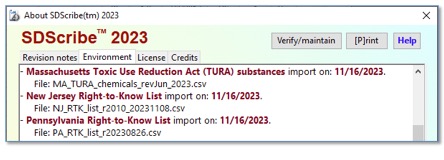
Updated right-to-know imports include compatibility with the “About…” box.
Searches/queries
· (SDS browse list) — Find SDSs check marked “Not dangerous goods” in the Transportation section.
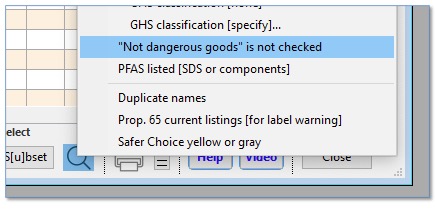
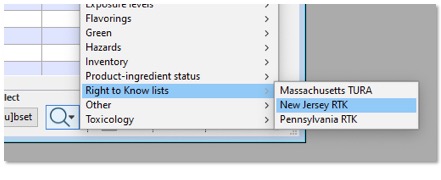
· (Substance browse list) — Find Substances that have Massachusetts TURA, New Jersey RTK, or Pennsylvania RTK regulatory listings.
· (SDS and Substance entry forms) — Some [R]esearch menu links have been revised for more relevance.
SDS formatting
· Emergency phone number text containing carriage returns is now indented similarly to other block text in the Identification section. Emergency phone number text without carriage returns remains indented as before.
October 2023
Font size adjustments
· File menu -> Preferences -> Other settings
o Globally adjust font sizes for browse list rows and some multi-line text areas. Leave setting at 0 for default font sizes in these areas.
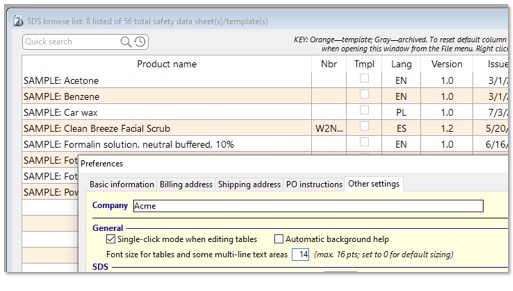
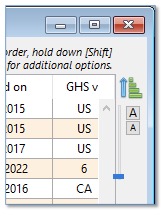
· Also added “A(larger)/A(smaller)” buttons to adjust font sizes locally, on browse lists. This setting persists only while the browse list is displayed.
Hazard multi-select dialog
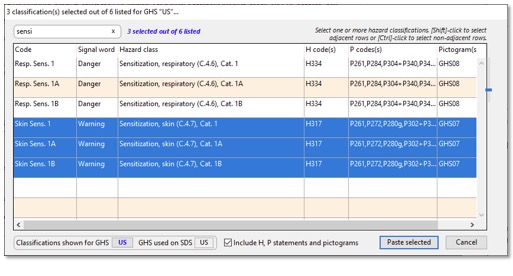
· Fixed an issue with the dialog displaying incorrect signal words for skin sensitivity. This issue did not affect items pasted into the SDS.
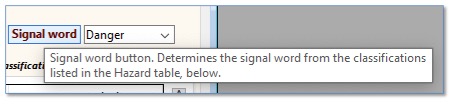
Signal word
· Added a button to the left of the Signal word drop-down menu, which determines a signal word from the GHS classifications listed in the Hazard table. This functionality duplicates a capability already available in the Recalculate button (“Select a signal word” option).
September 2023
File menu -> Imports-exports and utilities… -> Review imports…
· SDScribe™ can present a dialog of available imports, for the Substances section and related parameters, like exposure limits, hazards, and regulations.
· Double-click on a row to read the details of the import.
· Check the rows for imports you want, and let the program follow through.
· Some imports now remove earlier designations, to account for chemicals that are no longer listed.
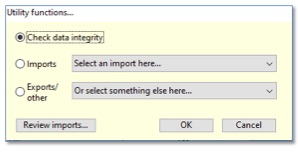
Click on the Review imports… button to view suggestions based on past import
history.
(This functionality is also available
when you open program updates that offer new imports.)
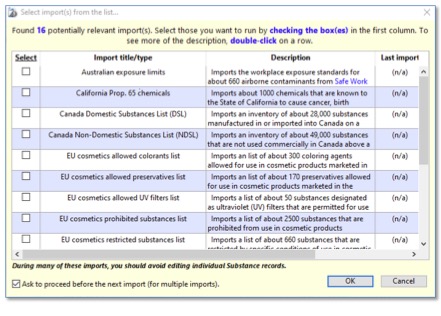
Check the boxes for imports that are most relevant for you. When you click on
the OK button, the program will run through the imports you selected.
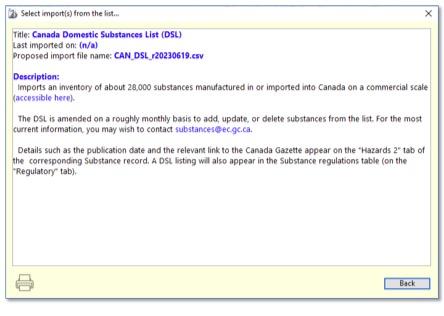
Double-click on a row to view details for that import.
Help menu -> "About SDScribe™…" -> Environment tab
· View the most recently-completed imports to your data file, for Substances and related parameters.
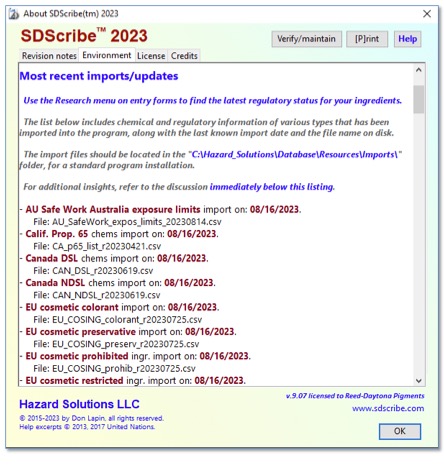
View files that have been imported and when.
Phrase translations browse list (File menu)
· New "Custom translation groups (CTGs)" tab.
· Build your own CTG for a new language, and the program will generate SDSs and labels in that language.
· Sample CTG included for Polish (PL).
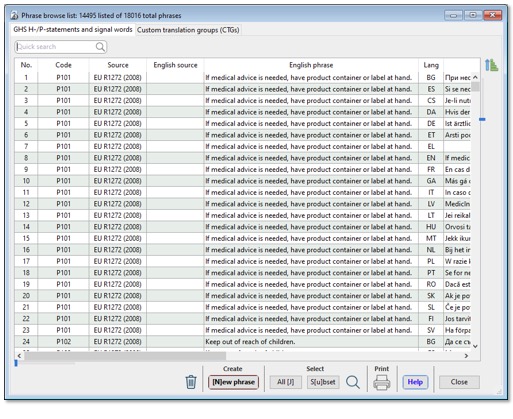
The browse list looks much the same, with translations for GHS precautionary
and hazard statements.
However, it now has a second tab for custom translation groups (CTGs).
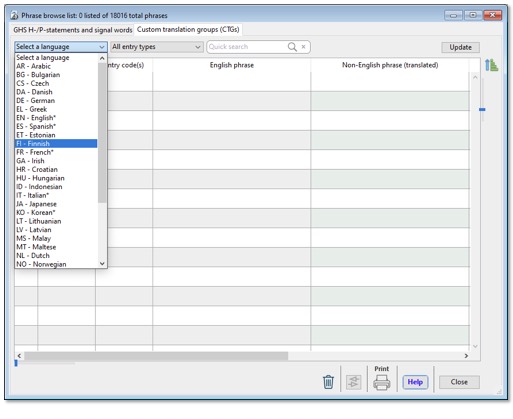
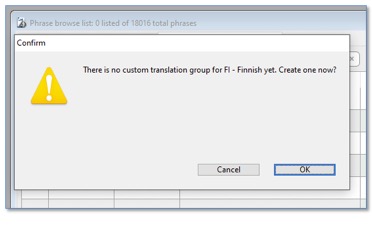
On the second tab, if you select a "new" language, the program offers
to create the CTG…
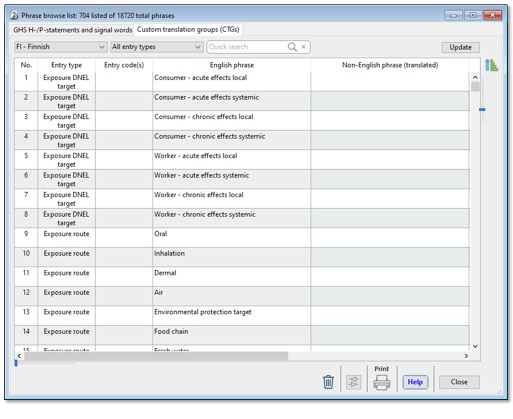
You now have a list of items that the program needs to generate SDS forms and
labels in the selected language. You can work your way through in the order
that makes the most sense to you, by viewing subsets of the list ("All
entry types" menu), or by finding items with the Quick search box.
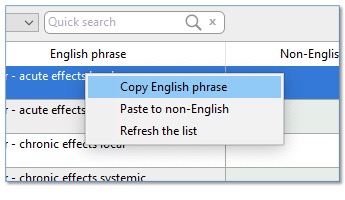
Right-click to copy the English phrase to the clipboard.
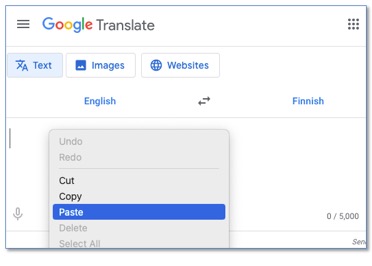
Right-click to paste the clipboard contents into the web translator.
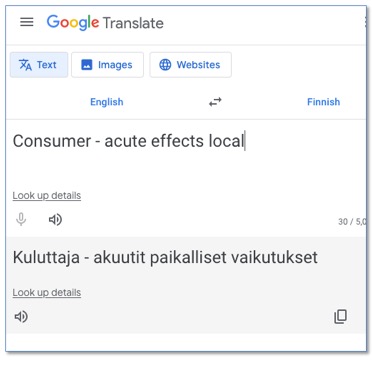
Copy the translated text onto the clipboard.
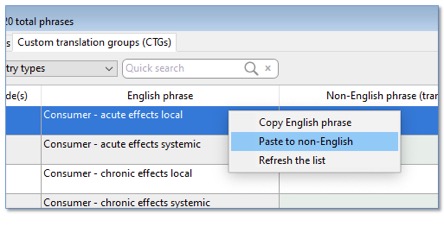
Paste back into SDScribe™.
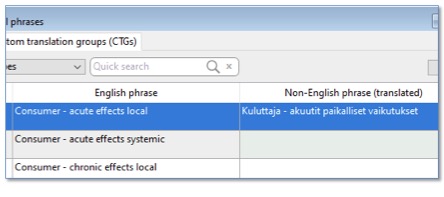
Your first translated phrase is done. Continue to the next row in the table.
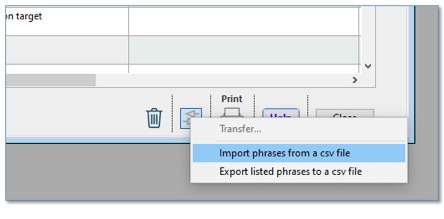
The browse list also offers a mechanism for importing and exporting CTGs
to/from spreadsheet format.
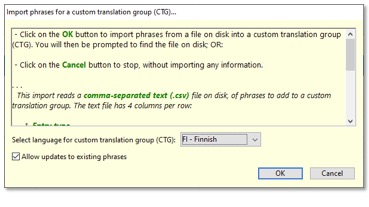
You must specify the language of the CTG, prior to starting the import.
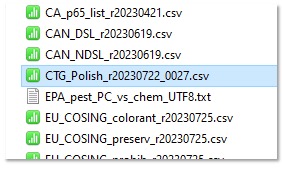
Hazard Solutions has provided a "starter-set" CTG in Polish, which is
located in the C:/Hazard_Solutions/Database/Resources/Imports folder.
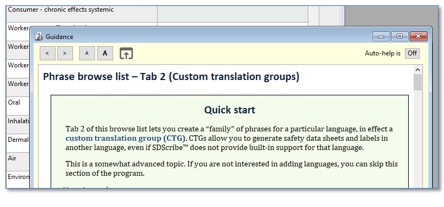
For more details on how CTGs work, read the background help for the Phrase
translations browse list.
Substances browse list
· Some revisions have been made to column header abbreviations, to improve clarity.
· Reorganized the Search button menu, and made some additions.
· "Notes: " can be used as a Quick search box prefix, to find comments in the "Notes and sources" field (on the "Notes/other" tab). Example search box entry (not case-sensitive): "Notes: *updated from TSCA", to find this text snippet anywhere in the field.
· Added to the right-click options, to find other Substance records with the same CAS number, EC number, or name/synonym.
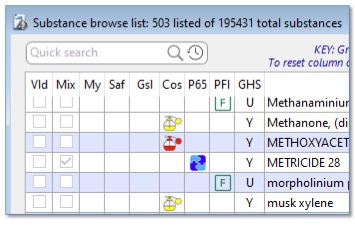
Some columns have updated abbreviations (Saf – EPA Safer Choice; Gsl – Green
Seal Verification; Cos – EU cosmetic regulations; P65 – CA Prop. 65; Pfl – Per-
and polyfluoroalkyl substances.
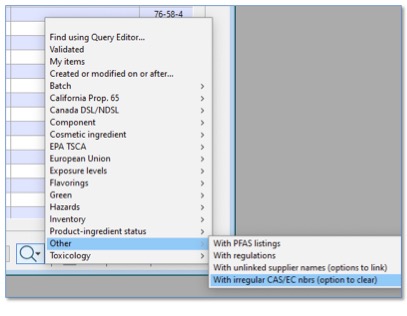
Reorganized and enhanced Search menu includes a search for CAS and EC numbers
that are not in the correct format.
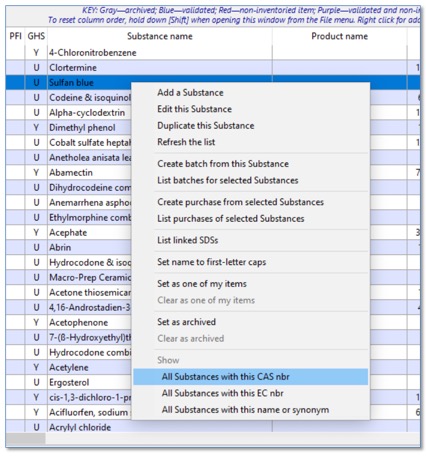
Enhanced right-click options to find similar Substance records.
Substance entry form
· Slight reorganization of SVHC, DSL/NDSL ("Hazards 2" tab), and TSCA data ("Toxicological table" tab).
· New, enterable "Region" column in the regulations table ("Regulatory" tab, for a country or region code, e.g., "GB", "EU", "US", etc.).
· Reorganized "Cosmetics" tab.
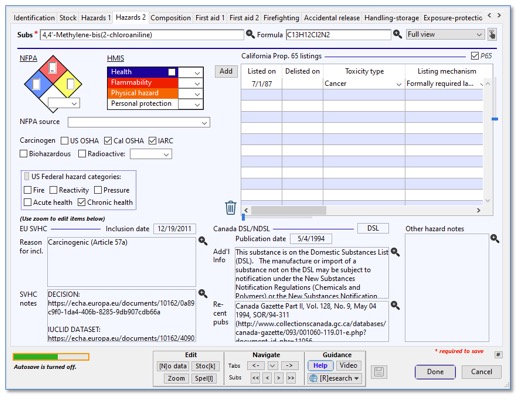
Updated "Hazards 2" tab to reduce accidental editing of SVHC and
Canada DSL/NDSL information.
Editing is still possible in the text areas by clicking on the "zoom"
buttons.
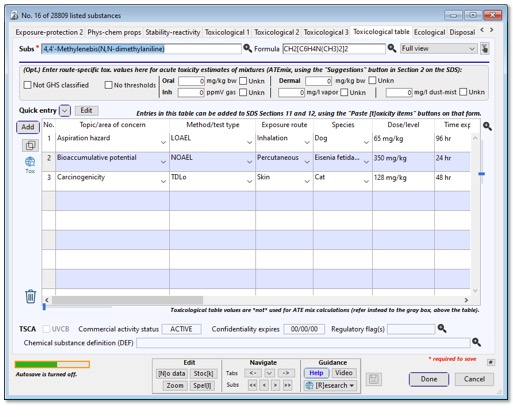
US EPA TSCA information (below table) reorganized to reflect current imports.
Some fields are editable by using the "zoom" buttons.
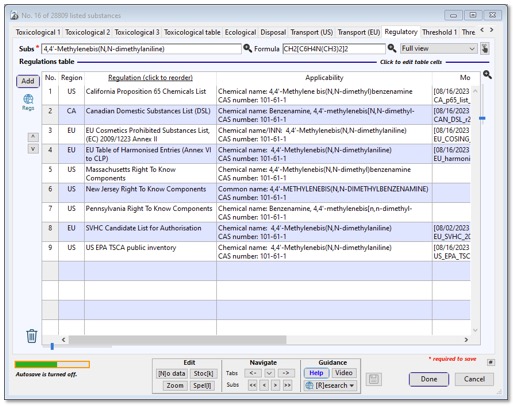
The updated imports cause additional items to appear in the Regulations table.
A column for country/region code is available to set applicability of the
listing or regulation; hold down [Shift] while double-clicking in the browse
list, to reset column order in the Substance record.
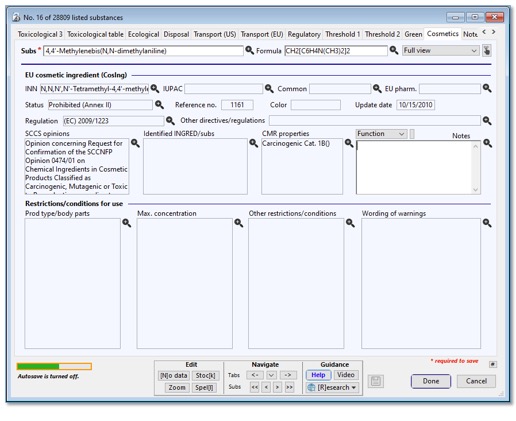
Cosmetics tab reorganized to better reflect current EU data organization.
Most fields are protected from accidental editing, but are still editable using
the "zoom" button.
SDS entry form, "8.1 Exposure – Protection"
· Blue text in the exposure limits table indicates an association with a Substance.
· Gray text indicates row is omitted.
· New options to omit rows from the SDS, by chemical constituent and measurement source.
· [Alt]-click on the "Omit" column header to access the "Include" menu instead of the "Exclude" menu.
· Re-order (sort) options in the "Chemical" column menu now place omitted items at the bottom, in gray text.
· New editable column, "Other name/description" initially includes the original measurement name as copied from the associated Substance record (e.g., "Calcium carbonate – respirable fraction"). The generated SDS includes this alternate name in Section 8, when different from the chemical name.
· Revised logic for the Update button (rotating arrows icon).
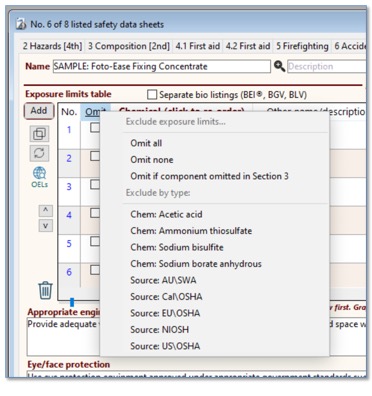
Enhanced options in the "Omit" column header menu.
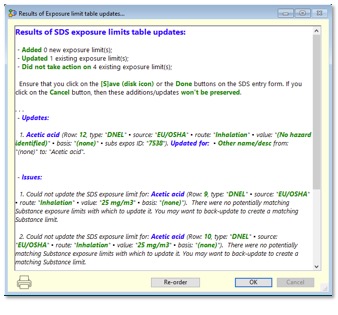
Diagnostics following use of the Update button, exposure limit table.
SDS entry form, "15.1 Regulatory" tab
· More rows appear in the regulations table, due to updates to the import routines.
· Blue text in the regulations table indicates an association with a Substance.
· Gray text indicates row is omitted.
· Added an Update button (rotating arrows icon), to refresh the list based on regulations associated with components' linked Substance records.
· Added a "Region" column, for country and regional codes.
· Enhanced "Omit" column menu options, to exclude or include by country/region codes.
· "Omit" column selections place omitted regulations at the bottom of the list.
· Flag buttons enable quick selecting and sorting for common countries/regions, and take account of omitted components from Section 3.
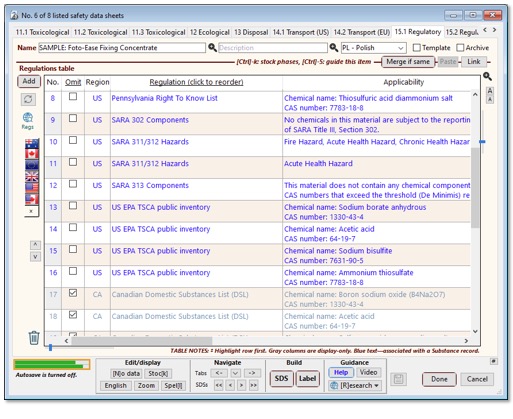
New Update button. New flag buttons. New column for country-region code. (To
reset column order, hold down the [Shift] key while double-clicking on an SDS
in the browse list).
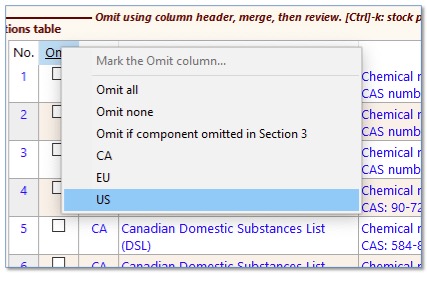
New options in the "Omit" column header allow you to select
particular country or region code(s) to exclude from the SDS. Hold down the
[Shift] key to select again, without losing the previously-selected codes.
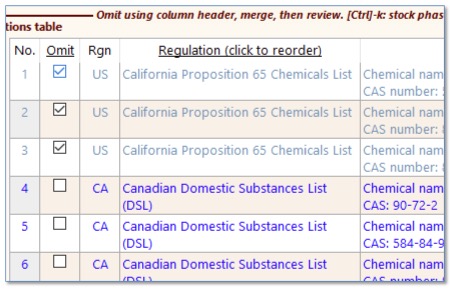
Omitted regulations now appear in gray text.
June 2023
· New selectable options for UN GHS 9 and Canada (“CA22”, WHMIS 2022 update).
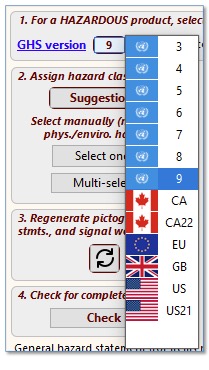
Selecting a GHS version, SDS “2 Hazards” tab.
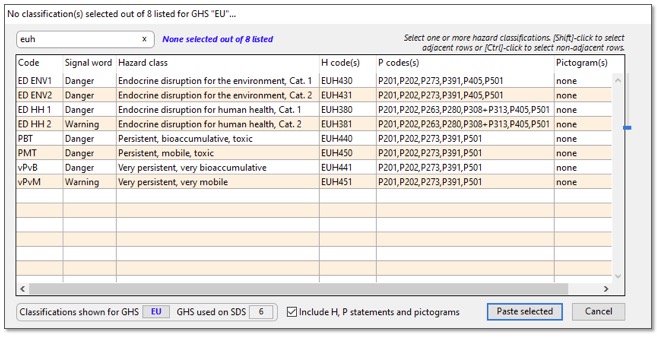
· Additional EU-prescribed hazard classifications (8 added for 2023)
· New SDS generation options to
o Omit EU CLP Annex VI index numbers;
o
Omit EC numbers;
o Place CAS numbers in a separate column.

· Option on program start-up to import the EPA’s Master List of per- and polyfluorinated alkyl substances (PFAS), containing about 12,000 chemicals.
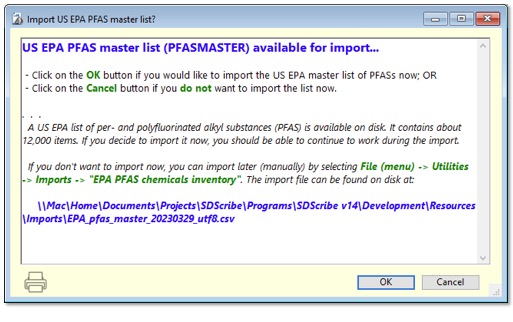
Option to import EPA Master List of PFAS substances.
· New search for Substance records with PFAS listings.
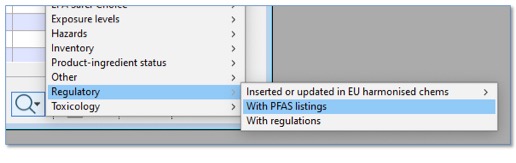
Finding Substances with PFAS content, in the Substances browse list.
· Substances with PFAS listings appear with a green “F” character on the Substances browse list, and on the “3 Composition” tab of the SDS entry form.
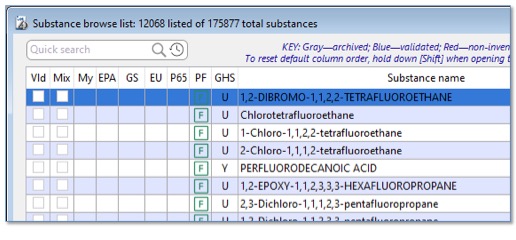
PFAS-containing Substance records have a green “F” in the “PF” column,
Substances browse list.

PFAS-containing Substance records have a listing on the “Regulatory” tab of the
Substances entry form…
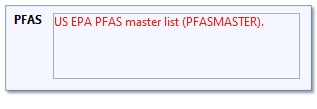
…as well as an alert on the “Green” Substances entry tab.
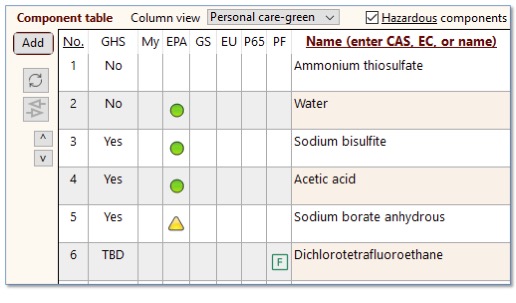
Appearance of a PFAS-containing ingredient (dichlorotetrafluoroethane) in the
Component table (“3 Composition” tab of the SDS).

PFAS listings for ingredients also appear on the “15.1 Regulatory” tab of the
SDS.
· Option on program start-up to import the ATP-18 harmonised substance classifications (EU Annex VI, Table 3.1).
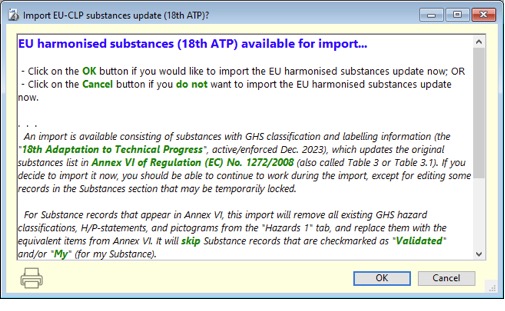
Option to import EU harmonized substances list (ATP-18).
· New search in the Substances browse list to find classifications that have either been added or updated in the various EU Adaptations to Technical Progress (ATPs).
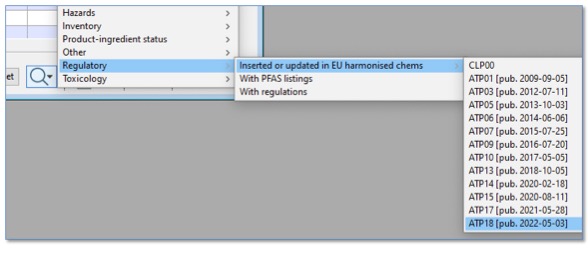
Finding Substance records with EU hazard classifications that have been added
or updated in Appendix VI, Table 3.1, with the release of a particular
Adaptation to Technical Progress (ATP). Note that not all ATPs included changes
to Table 3.1.
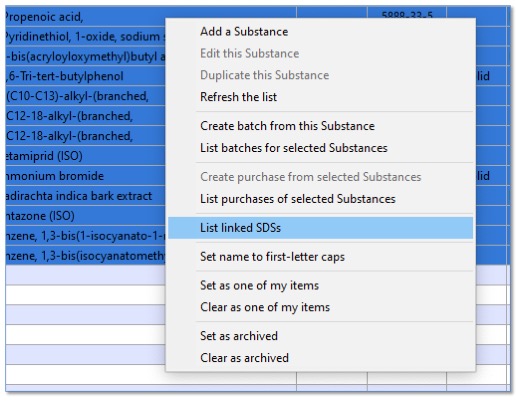
From a list of Substance records with EU hazard classifications that have
changed, right-click to locate the associated SDSs that might require
re-evaluation.
· The Component table (“3 Composition” tab of the SDS) now has columns for entering “display-only” minimum and maximum concentrations. A positive value in either/both of these columns will override the actual minimum and maximum concentrations on the generated SDS, for the ingredient.

New display-only concentration columns, Component table (“3 Composition” tab of
the SDS entry form). In this example, the 49 “Min% dsp” and 55 “Max% dsp”
values will appear for ammonium thiosulfate in Section 3 of the generated SDS, rather than the
actual 50 “Min%” and 52 “Max%” values.
· Added new columns to the Component table: "M min" and "M max", for minimum and maximum molarity, which are relevant if the product is a dilute aqueous solution. Right-click on a row to calculate the minimum or maximum concentrations from the respective molarities. To perform the calculation, the program requires both molecular weight for the component (in its Substance record) and product density or specific gravity ("9 Phys-chem props" tab of the SDS record).
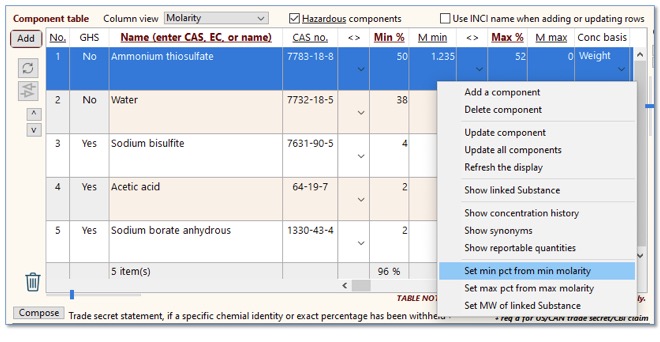
Recalculating minimum concentration (“Min%”) from minimum molarity (“M min”).
The program needs both component molecular weight (from the linked Substance
record); and product density or specific gravity (from the “9 Phys-chem props”
tab of the SDS).
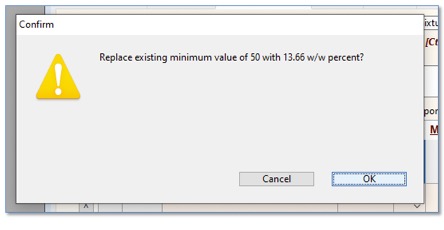
Program asks user to confirm replacement of the existing minimum concentration.
· Added a field for the DTXSID identifier, which links the Substance to a specific record in EPA's CompTox Chemicals Dashboard. Click on the adjacent link to open the web browser. Moved pesticide and MDL fields that were present in this location to the "Notes/other" tab.
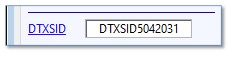
DTXSID field, “Identification” tab on Substances entry form. Field has a
clickable title for finding the Substance on EPA’s Comptox Chemicals Dashboard.
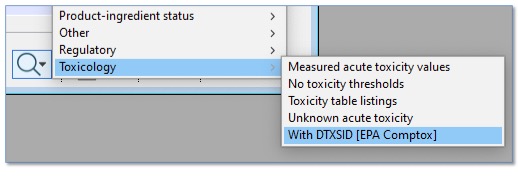
Finding records with DTXSID numbers, from Substance browse list.
· Added an "InChI key" (International Chemical Identifier key) field, on the “Notes/other” tab of the Substances entry form. Reorganized the tab for improved ease of use.
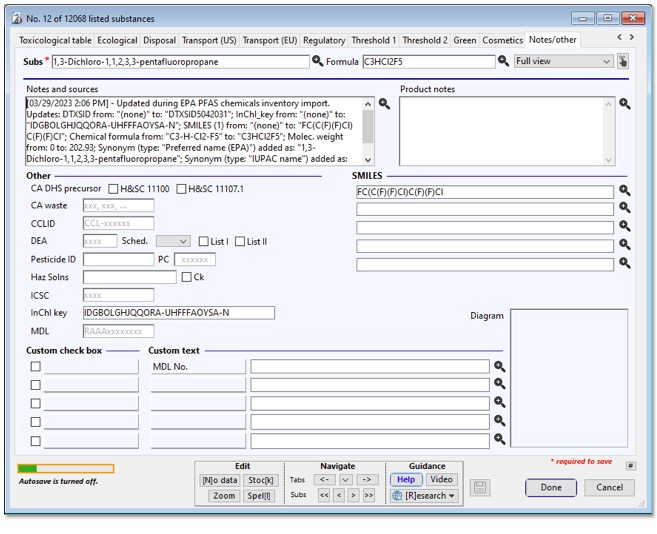
Reorganized “Notes/other” tab, Substances entry form, showing “InchI key”
(International Chemical Identifier) field.
· The Quick Search box on the Substance browse list can now recognize and search for either a DTXSID or an InchI key value, without any prefix.
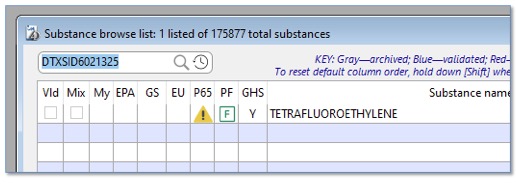
Quick Search box use for finding a Substance record on DTXSID number.
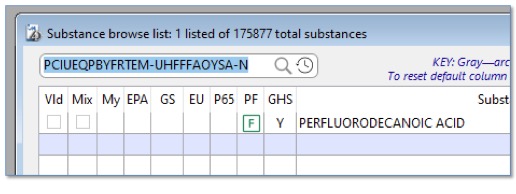
Quick Search box use for finding a Substance record on InchI key (International
Chemical Identifier).
[Rev. 6.6.2024]